How to Change Your Chevy Key Fob Battery Without a Mechanic
Why a Dead Key Fob Battery Doesn’t Have to Ruin Your Day
Change battery in chevy key fob and you’ll be back in your car in less than five minutes. Here’s the quick version:
- Identify your key fob type (Smart Key, Flip Key, or Standard Remote)
- Get the right battery (CR2032 for most older models, CR2450 for newer models)
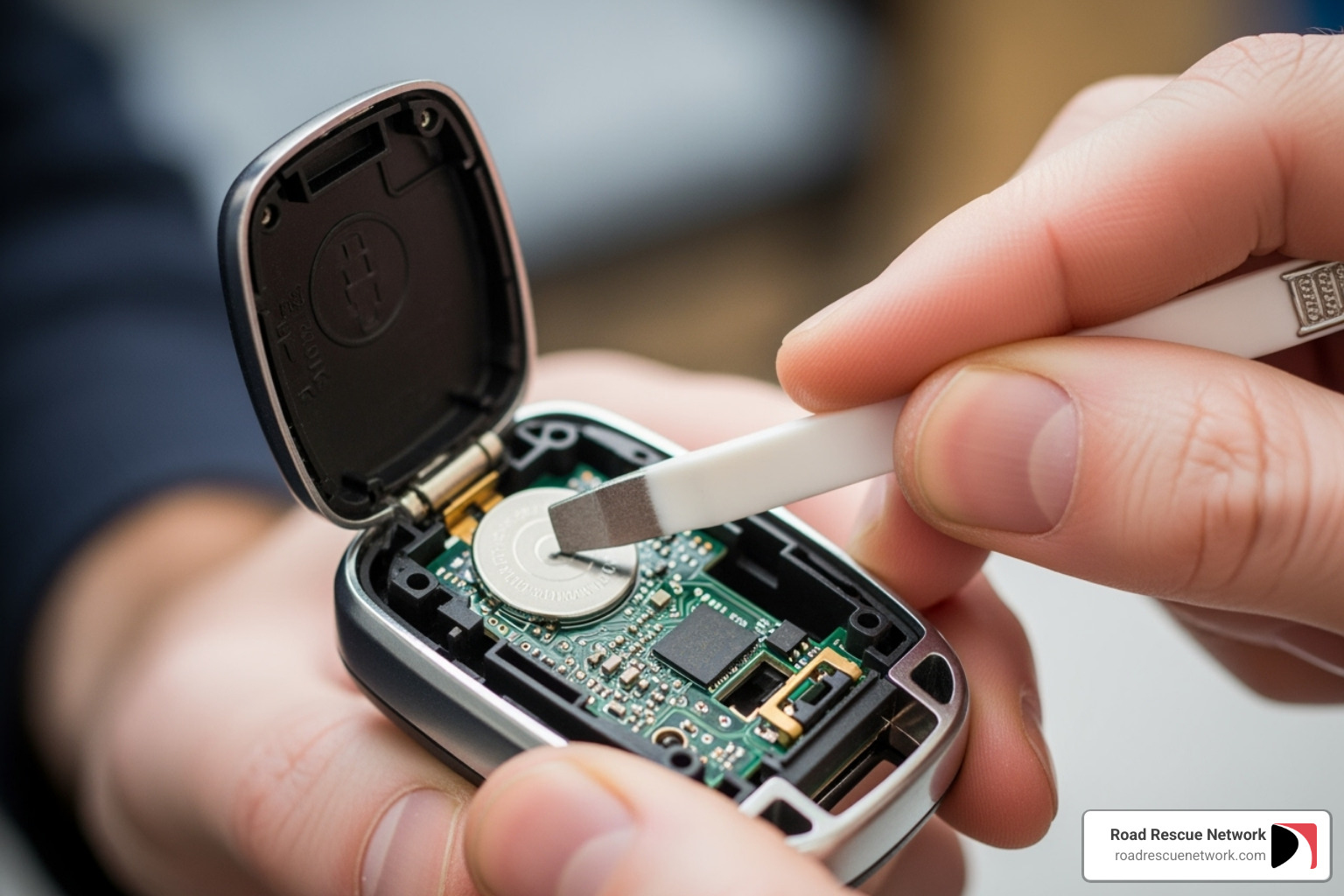
- Pry open the fob using a flathead screwdriver or the metal key itself
- Remove the old battery and note which side faces up
- Insert the new battery in the same orientation
- Snap the fob back together and test it
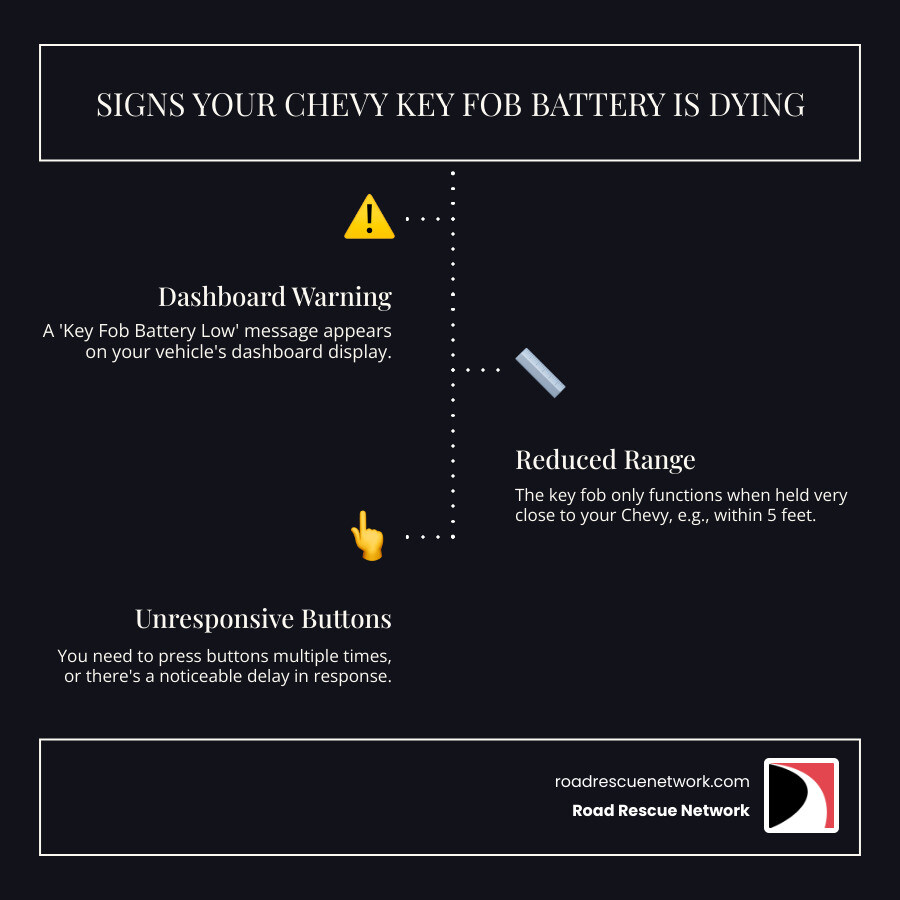
Nothing is more frustrating than pressing your Chevy key fob and getting — nothing. Dead key fobs always seem to happen at the worst possible time, like when you’re already running late or it’s pouring rain. But here’s the good news: 70% of key fob issues are from dead batteries, and replacing yours is one of the easiest car maintenance tasks you can do yourself.
You don’t need special skills or expensive tools. The entire job takes less than five minutes, and you’ll save $50-$100 over dealership prices. Most Chevy key fob batteries last three or four years with normal use, but when they start to die, you’ll notice reduced range, delayed responses, or buttons that need multiple presses to work.
I’m Byron Tarlton, and through my work with Road Rescue Network helping stranded drivers across the country, I’ve seen countless people locked out of their vehicles simply because they didn’t know how easy it is to change battery in chevy key fob themselves. This guide will walk you through the exact steps for every Chevy key fob type, so you’ll never be stuck in a parking lot again.
Before You Begin: What You’ll Need
Getting ready to change battery in chevy key fob takes about thirty seconds of prep work. Trust me, spending that half-minute now beats finding you’ve got the wrong battery when your fob is already in pieces on your kitchen counter.
The first thing you’ll want to do is figure out which type of Chevy key fob you’re holding. Chevrolet has used three main designs over the years, and each one opens a little differently.
If your fob has a Smart Keyless Entry Remote design, you’ll typically see a chrome button on the side that releases a physical metal key blade tucked inside. These are the newest style, common on vehicles with push-button start like the Chevy Traverse, Malibu, and most models from 2017 onward. The good news? That metal key blade doubles as your pry tool.
The Flip Key was Chevrolet’s go-to design for vehicles from around 2010 through 2016. Press a button and the key blade flips out like a switchblade (but, you know, legal). Once you’ve flipped the key out, you’ll spot a small seam where the two halves meet.
Then there’s the Standard Remote Key Fob, which is exactly what it sounds like — a basic remote with buttons. These older designs usually have the key blade either separate or permanently attached to the fob. You’ll see a seam running along the edge where you can split it open.
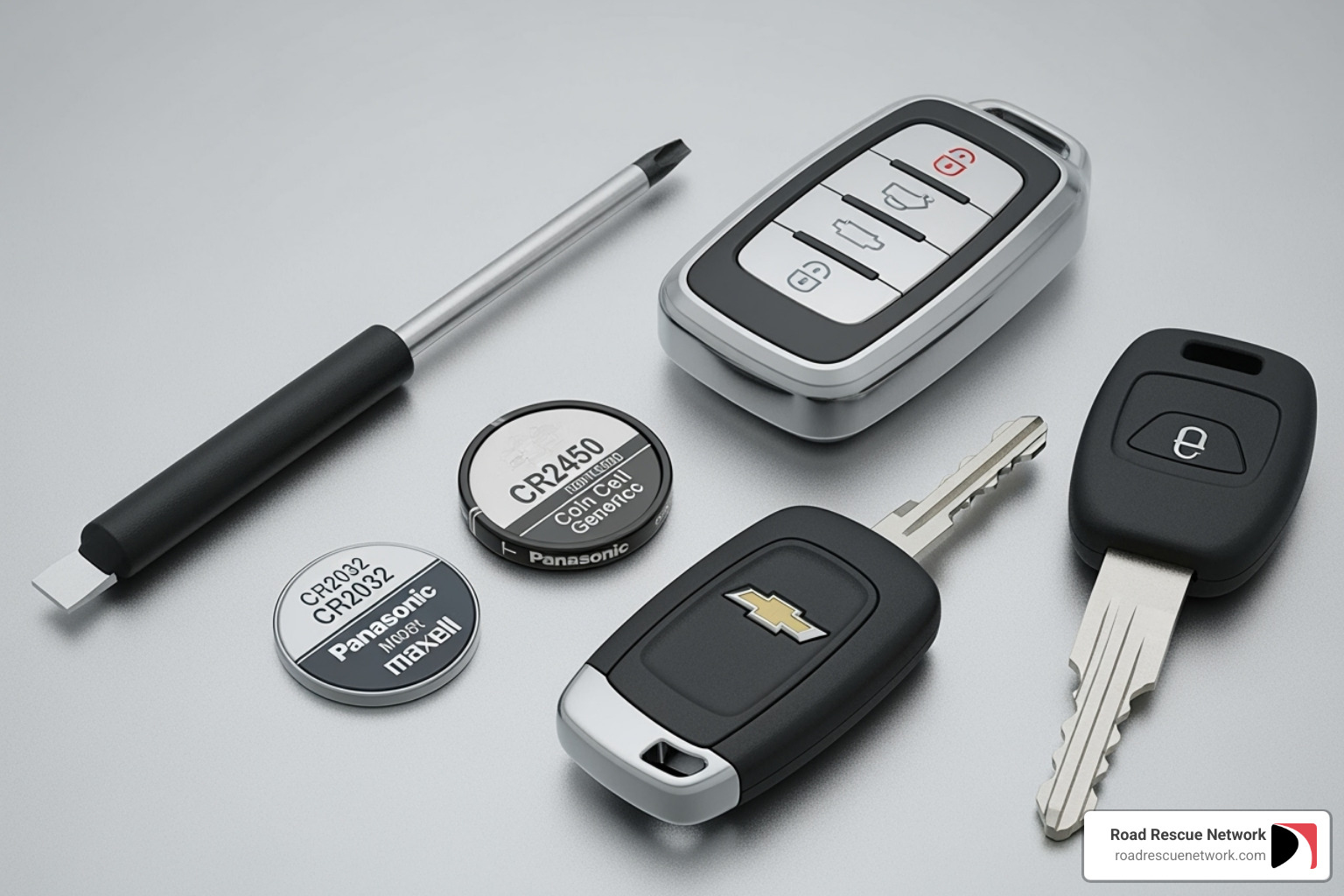
Now let’s talk tools. This is where this job gets ridiculously easy. You need a small flathead screwdriver to gently pry open the fob casing. Don’t have one? A coin works in a pinch, or you can use that metal key blade from your smart key fob. Pro tip: wrap a piece of tape around the screwdriver tip to avoid scratching up your fob’s plastic.
Obviously, you’ll need a new battery — we’ll get specific about which one in just a moment. And honestly, that’s about it. A clean, flat workspace helps prevent losing tiny parts, but this isn’t surgery. Your kitchen table works just fine.
Identifying the Correct Battery
Here’s where people sometimes trip up — not all Chevy key fob batteries are created equal. Using the wrong battery is like trying to force a square peg into a round hole. It just won’t work.
Most Chevy key fobs use one of two common coin cell batteries. The CR2032 is the workhorse of the key fob world, powering over 70% of Chevy fobs, especially older and mid-range models. It’s a 3-volt lithium battery that’s been the standard for years. The CR2450 shows up in newer Chevrolet models, particularly from 2020 onward. It’s thicker than the CR2032 but actually smaller in diameter. Some models use the CR2025, which is slightly thinner than the CR2032, but that’s less common.
So how do you know which battery your specific fob needs? Your owner’s manual is always your best bet — it’ll tell you exactly which battery type to buy. No manual handy? No problem. Once you open your key fob (which we’ll walk through in the next section), the old battery itself usually has its type stamped right on it. Look for “CR2032” or “CR2450” printed on the face.
When your battery voltage drops below 3.0 volts, it’s replacement time. A fresh CR2032 should measure around 3.2 volts.
You can grab these batteries at any electronics store, hardware store, or pharmacy for about $2-$5. Don’t stress about the brand — what matters is getting the right size and voltage.
| Battery Type | Diameter | Thickness | Voltage | Common Chevy Models |
|---|---|---|---|---|
| CR2032 | 20 mm | 3.2 mm | 3V | Most older and mid-2010s models (e.g., Equinox, Malibu) |
| CR2450 | 24.5 mm | 5.0 mm | 3V | Latest generation key fobs (e.g., newer Silverado) |
With your fob type identified and the right battery in hand, you’re ready to tackle this five-minute fix.
How to Change Battery in Chevy Key Fob: A Step-by-Step Guide
Now that we have our tools and the correct battery, let’s get to the main event: replacing that dead battery. I’ll walk you through this process for each type of Chevy key fob, and I promise it’s easier than you think.
Before we jump in, let me share a few safety tips that’ll help protect both you and your key fob. Avoid static electricity by touching something metal (like your car door or a doorknob) before you start working. Static charges might seem harmless, but they can damage the delicate electronics inside your fob. While you’re working, handle everything gently – these fobs are built to last, but forcing things apart is never a good idea.
Here’s the most important tip: note the battery orientation before you remove the old battery. Take a quick mental picture (or an actual photo with your phone) of which side faces up. Getting this wrong is the number one reason people think their new battery is defective when really it’s just installed backwards.
While the fob is open, take a moment to clean the battery contacts with a soft, dry cloth or cotton swab. You’d be surprised how much a little dust can interfere with the connection. This simple step can extend the life of your new battery and ensure reliable performance.
Steps to change battery in chevy key fob: Smart Key (Newer Models)
If you’re driving a newer Chevy with push-button start – like a Silverado, Blazer EV, or recent Equinox – you likely have a smart key fob. These are my favorite to work with because Chevy actually designed them to be opened with the key itself. Pretty clever, right?
Start by pressing the release button on the side of your fob. It’s usually chrome or black, and when you press it, a metal key blade slides right out. Don’t put this key aside just yet – you’re going to use it as your pry tool.
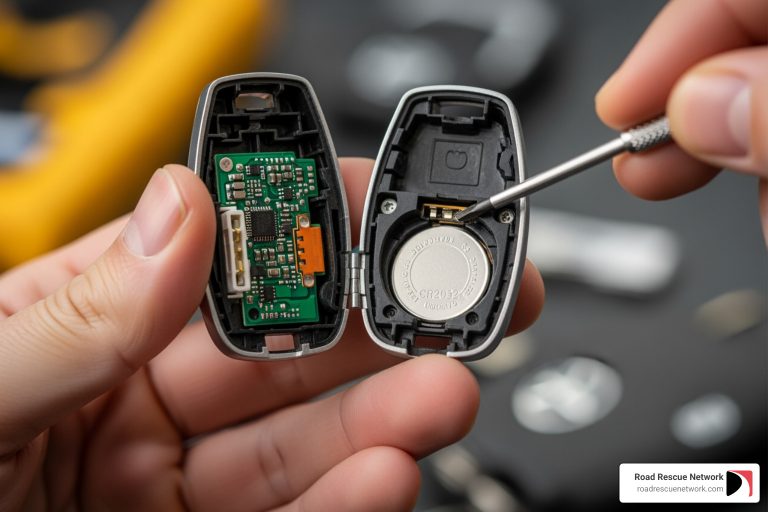
Look at the spot where the key was hiding. See that slot? Insert the tip of the metal key right into that opening and give it a gentle twist. The two halves of the fob should start to separate. If it feels stuck, don’t force it – just apply steady, gentle pressure and it’ll pop open.
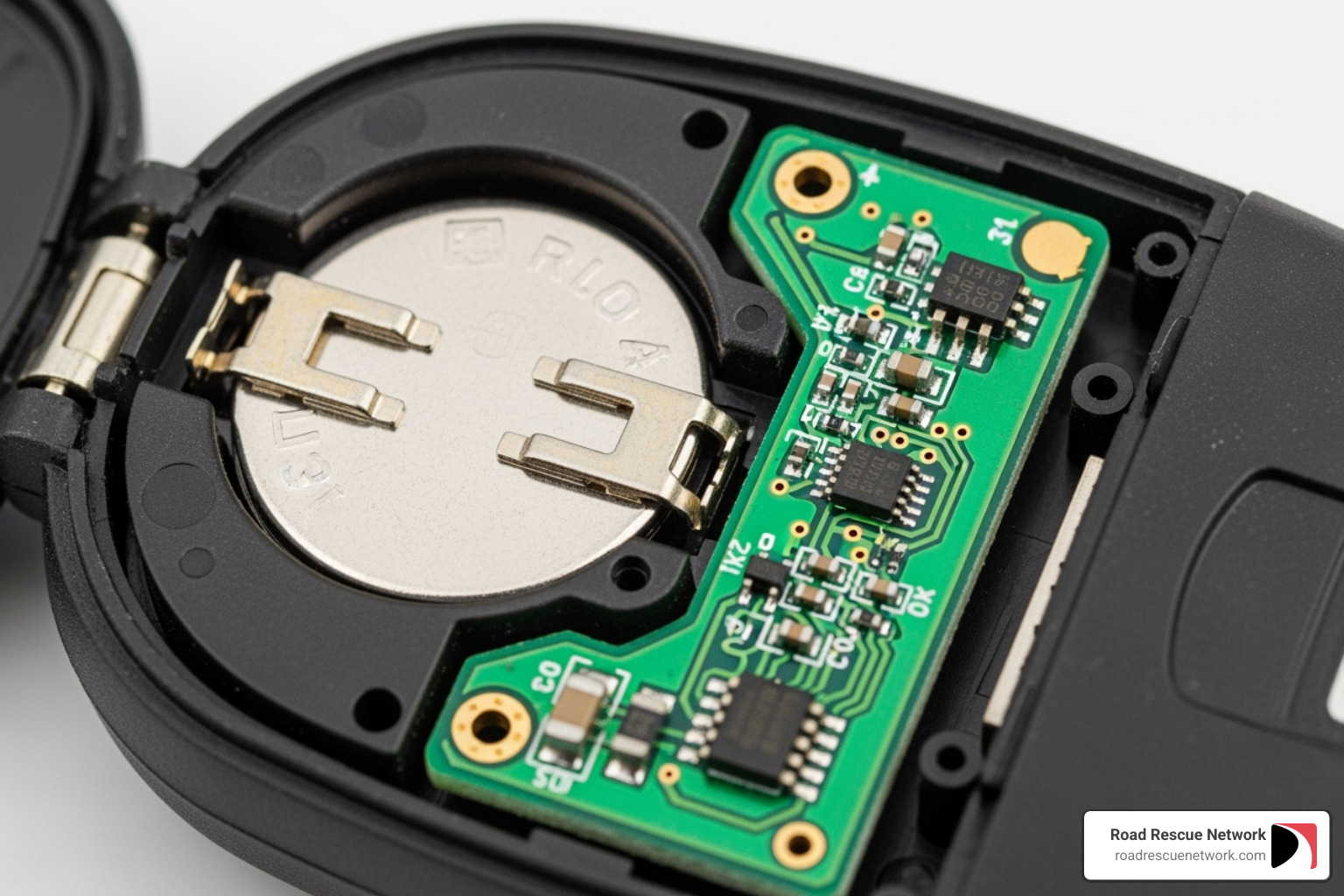
Once you’re inside, you’ll see the circular battery sitting in its compartment. Use the metal key or your screwdriver to carefully pry the old battery out. Most smart keys use the larger CR2450 battery, and here’s something that trips people up: the positive side usually faces down in these newer fobs. Check your old battery to confirm before you remove it.
Slide the new CR2450 battery into place, making sure it’s oriented the same way as the old one. It should fit snugly without any forcing. Now align the two halves of the case and press them together firmly. You’ll hear a satisfying click when they’re properly secured. Finally, slide that metal key back into its slot until it locks.
Want to see this process in action? Check out a visual guide for modern fobs for a helpful video walkthrough.
How to change battery in chevy key fob: Flip Key (Mid-2010s Models)
The flip key design was hugely popular on mid-2010s Chevys, and if you have one, you’re in luck – these are super simple to change battery in chevy key fob.
First, flip out the key blade by pressing its release button. With the key extended, look along the edge of the fob near where the key pivots. You’ll see either a small seam or slot running along the side.
Here’s where it gets interesting. Some flip keys pop open from the side using your screwdriver in that seam, while others have a back panel that slides off. For those sliding types, try this trick: press down on the key button and place your thumb in the space where the key normally folds into the fob. Push firmly and the back panel should pop right off.
Inside, you’ll find the CR2032 battery. Gently slide it out from under the plastic clips that hold it in place. Most flip keys have the positive side facing down, but always verify with your old battery before proceeding.
Insert your new CR2032 with the positive side down, matching exactly how the old one sat. Press the battery down until it clicks into place under those clips. Then snap the cover back on by aligning the two halves and pressing firmly until you hear them click together.
If you’re more of a visual learner, video instructions for flip keys will show you exactly what to look for.
Instructions for Standard Remote Fobs (Older Models)
Older Chevy models typically came with standard remote fobs where the key blade was either separate or permanently attached. These are the most straightforward to open, and you’ve probably done something similar with other battery-powered devices.
Find the slot along the edge where the two plastic halves meet. It’s usually a small indentation that’s perfect for your screwdriver. Insert your flathead screwdriver into this slot and give it a gentle twist. The casing should start to separate. Work your way around the seam if you need to, applying even pressure until the two halves come apart.
The CR2032 battery will be sitting right there in its holder. Pry it out gently with your screwdriver. Here’s where these older models differ from the newer ones: the positive side typically faces up in standard remotes. Always double-check your old battery to be sure.
Place the new CR2032 into the compartment with the positive side up. You might need to tuck one edge under a plastic lip first, then press down on the other side until it snaps securely into place. Finally, press the two halves together firmly until they click shut. Run your finger around the seam to make sure there are no gaps – you want a tight seal to keep moisture and dirt out.
Now comes the moment of truth. Walk over to your Chevy and test your newly refreshed key fob. Try locking and open uping the doors, and if you have remote start, give that a try too. When everything works perfectly, you’ll know you’ve successfully mastered how to change battery in chevy key fob – and you’ve saved yourself a trip to the dealership and at least $50 in the process.
Troubleshooting: What If It Still Doesn’t Work?
So, you’ve carefully followed all the steps to change battery in chevy key fob, but your remote is still not working. Don’t panic! This happens sometimes, and there are several common reasons why. Let’s walk through some troubleshooting steps before you consider a trip to the dealership.
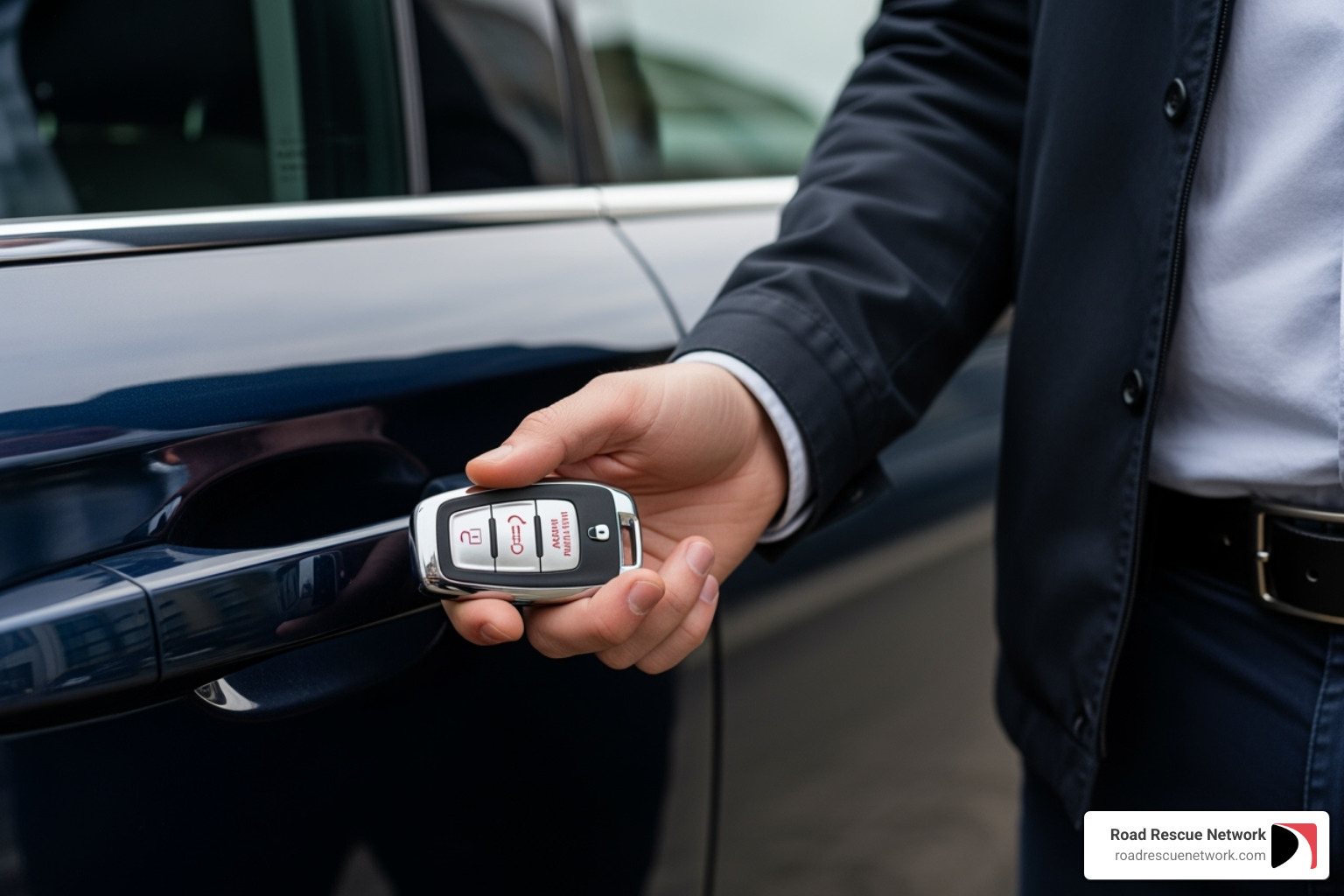
First things first: check your battery placement and polarity. This is the most common culprit when a newly replaced battery doesn’t work. Go ahead and pop that fob open again and make sure the new battery is seated correctly. The positive (+) and negative (-) sides need to be oriented exactly as the old battery was. Even a slight misalignment can prevent proper contact. Some fobs require the positive side up, while others need it facing down.
Next, take a moment to clean those battery contacts. Sometimes the metal contacts inside the fob can get dirty or slightly bent over time, preventing a good connection with your new battery. With the fob open, gently clean the metal contacts with a cotton swab dipped in rubbing alcohol, then let it dry completely. If the metal spring contacts seem too flat, you can carefully bend them slightly outward to ensure they make firm contact with the battery.
Make sure your fob is securely closed. The two halves of the key fob casing need to be snapped together completely. If there’s even a small gap, the internal connections might not be working properly. Press firmly around the edges until you hear that satisfying click.
Here’s a trick that works surprisingly often: after replacing the battery, some fobs need a quick re-sync with your vehicle. Get into your car, close all doors, and then press and hold both the “Lock” and “Open up” buttons on the key fob simultaneously for about 15 seconds. You might hear a beep from the car or see the lights flash, which means it has successfully re-synced.
If you’re still seeing a persistent “Key Fob Battery Low” warning message on your dashboard even after replacing the battery, you’re definitely not alone. This is a known issue for some Chevy models, particularly the Bolt EV, where the car’s system can be frustratingly slow to recognize the new battery. The simplest fix is often just using the lock and open up buttons on the fob a few times after replacement, which helps the car’s system “see” the new battery and clear the message. In many cases, the warning message simply clears itself after a few days of normal use.
There’s also the possibility that your new battery is actually faulty. While less common, it does happen. A fresh CR2032 should measure around 3.2 volts. If you have a battery tester, you can verify the voltage yourself. Some users report that up to 25% of batteries bought from online marketplaces can be defective or even counterfeit, so consider purchasing from a reputable brick-and-mortar store if you suspect this might be the issue.
If you have a second key fob, try replacing its battery and testing it. If that one also doesn’t work, the problem might not be with the fob itself but with your car’s receiver. While this is rare, it’s worth ruling out.
If you’ve tried all these steps and your key fob still isn’t working, it might be time to consider whether reprogramming is necessary, or if there’s a deeper issue at play. While most Chevy key fobs do not require reprogramming after a simple battery change, some models might need it, or a more complex problem could be preventing your fob from working. For more in-depth information on this topic, you can learn about key fob reprogramming.
If you live in cities like New York, Los Angeles, Chicago, Houston, or Phoenix, and are still facing issues after trying these troubleshooting steps, the service teams at local Chevrolet dealerships are equipped to diagnose more complex problems. They have specialized tools and diagnostic equipment that can pinpoint exactly what’s going wrong with your key fob or your vehicle’s receiver system.
Frequently Asked Questions about Chevy Key Fob Batteries
We’ve walked through the entire process together, but I know from my years helping drivers that a few questions always come up. Let me address the most common ones I hear.
How often should I replace the battery in my Chevy key fob?
Here’s the honest answer: most Chevy key fob batteries last between three and four years with normal use. But “normal” can mean different things for different drivers.
Think about how you use your key fob. If you’re constantly locking and open uping your doors, using remote start during winter months, or if your fob is always in your pocket or purse getting accidentally pressed, your battery will drain faster. I’ve seen some batteries last five years with light use, and others need replacing after just two years of heavy use.
Extreme temperatures also play a role. If you live somewhere with scorching summers or freezing winters, your battery might not last quite as long as the average.
My advice? Don’t wait until you’re stranded. If your fob is approaching that three-year mark, or if you start noticing any warning signs like reduced range or needing multiple button presses, go ahead and replace it. The battery costs a few dollars, and you already know how to change battery in chevy key fob yourself. Some people even make it part of their routine maintenance, swapping it out every two years just for peace of mind. It’s much better than dealing with a dead fob when you’re already late for work.
Do I need to reprogram my Chevy key fob after a battery change?
This is probably the question I get asked most often, and I have great news for you: reprogramming is rarely needed after a simple battery change.
Your key fob’s programming information lives in its internal memory, which doesn’t get erased when you swap out the battery. It’s similar to how your phone remembers your settings even when it’s turned off. The vehicle already knows your fob, and your fob already knows your vehicle.
Once you pop that new battery in and snap the case shut, your fob should work immediately. If it doesn’t respond right away, try that quick reset trick we mentioned earlier – hold down the lock and open up buttons together for about 15 seconds while sitting in your car with all doors closed. This helps the fob and vehicle “shake hands” again.
Now, if you’ve tried everything and your fob still won’t work after a battery change, check your owner’s manual for model-specific instructions. Some rare cases might require reprogramming, but in my experience working with thousands of drivers, the simple battery swap does the job 99% of the time.
How do I properly dispose of the old key fob battery?
Once you’ve successfully replaced your battery, don’t just toss the old one in the trash. Those little coin cell batteries contain chemicals and heavy metals that can harm the environment if they end up in a landfill.
The good news is that disposing of them properly is easy. Most electronics stores have battery recycling bins right near the entrance – places like Best Buy or Target make it convenient. Many hardware stores offer the same service, and if you bought your replacement battery at a specialty battery retailer, they’ll almost always take the old one back.
You can also check with your local recycling center or municipal waste management program. Many communities have specific drop-off locations for household batteries, and some even offer curbside pickup for hazardous materials on designated days.
It only takes a minute to drop off an old battery at one of these locations, and you’ll be doing your part to keep harmful materials out of our water and soil. I keep a small container in my garage for old batteries, and when it gets full, I swing by the electronics store on my next errand run.
Conclusion
You did it! You now know exactly how to change battery in chevy key fob, and that knowledge puts you in control. This simple five-minute task saves you the hassle of dealership visits, keeps $50-$100 in your pocket, and most importantly, ensures you’re never stuck in a parking lot pressing a dead remote in frustration.
There’s something genuinely satisfying about handling your own car maintenance, even something as small as a battery swap. You’ve taken a common source of stress and turned it into a quick fix you can do anytime, anywhere. No more worrying about whether your fob will work when you’re running late or caught in bad weather. Just pop it open, swap the battery, and you’re good to go.
Of course, while a dead key fob battery is something you can tackle yourself, other roadside emergencies aren’t always so simple. When you’re dealing with a flat tire on a busy highway, a completely dead car battery, or you’ve accidentally locked your keys in the car, you need help fast. That’s exactly why Road Rescue Network exists.
We provide 24/7 on-demand roadside assistance with no memberships required and no hidden fees. Whether you need a jumpstart, tire change, or lockout service, we instantly connect you with local rescuers who can get to you quickly. We’re here for those moments when DIY isn’t an option and you just need someone reliable to show up and help.
So keep that Chevy key fob working smoothly with your newfound battery-changing skills, and remember that when bigger problems hit the road, we’re just a call away. Get 24/7 on-demand roadside assistance and drive with confidence, knowing help is always available when you need it most.