How to Change Your GMC Key Fob Battery
Why Learning to Change Battery in GMC Key Fob Saves You Time and Money
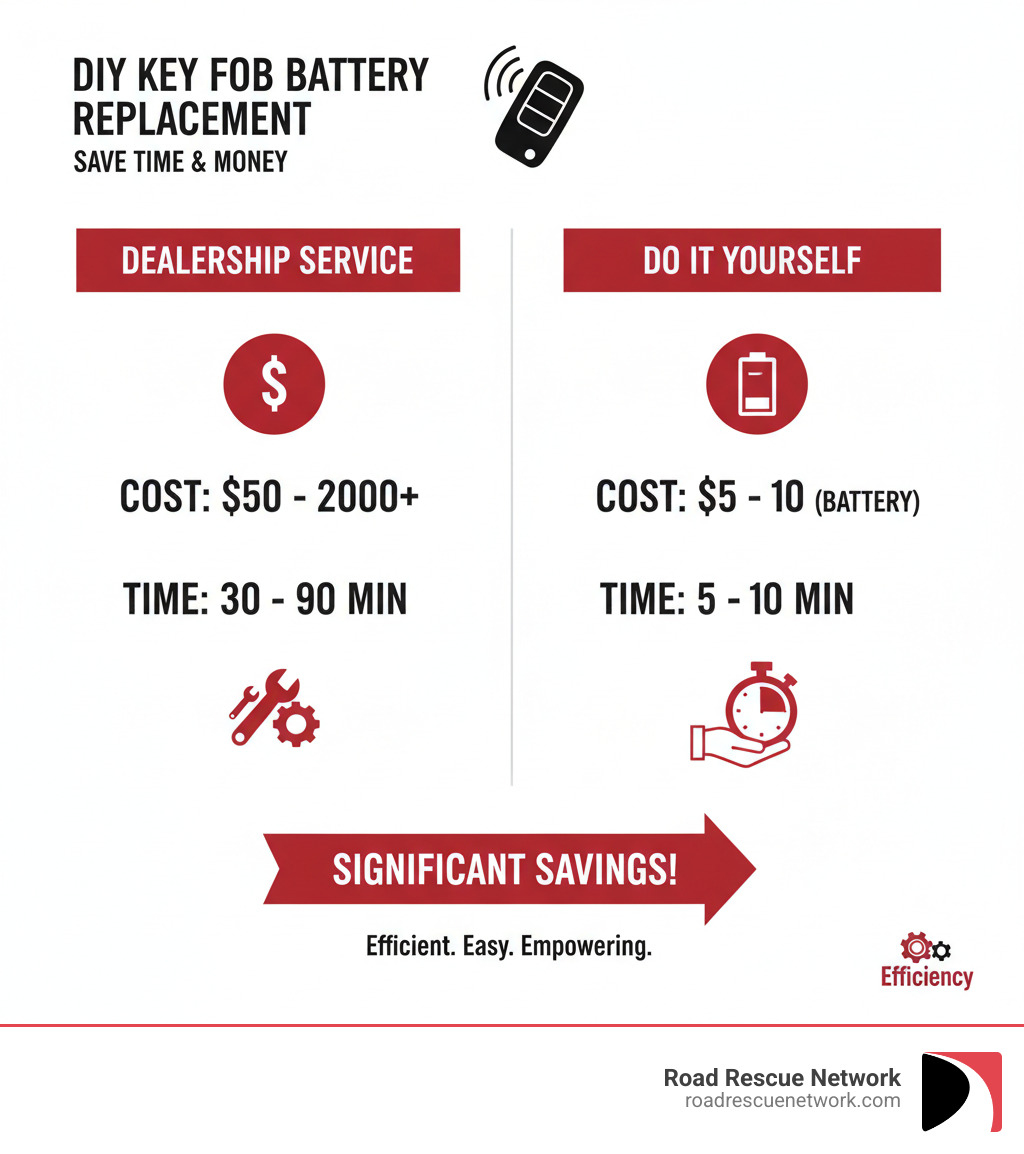
Change battery in GMC key fob is a simple five-minute task that can save you a trip to the dealership and up to $100 in service fees. Most GMC owners never realize how easy this DIY fix actually is.
Quick Answer: How to Change Your GMC Key Fob Battery
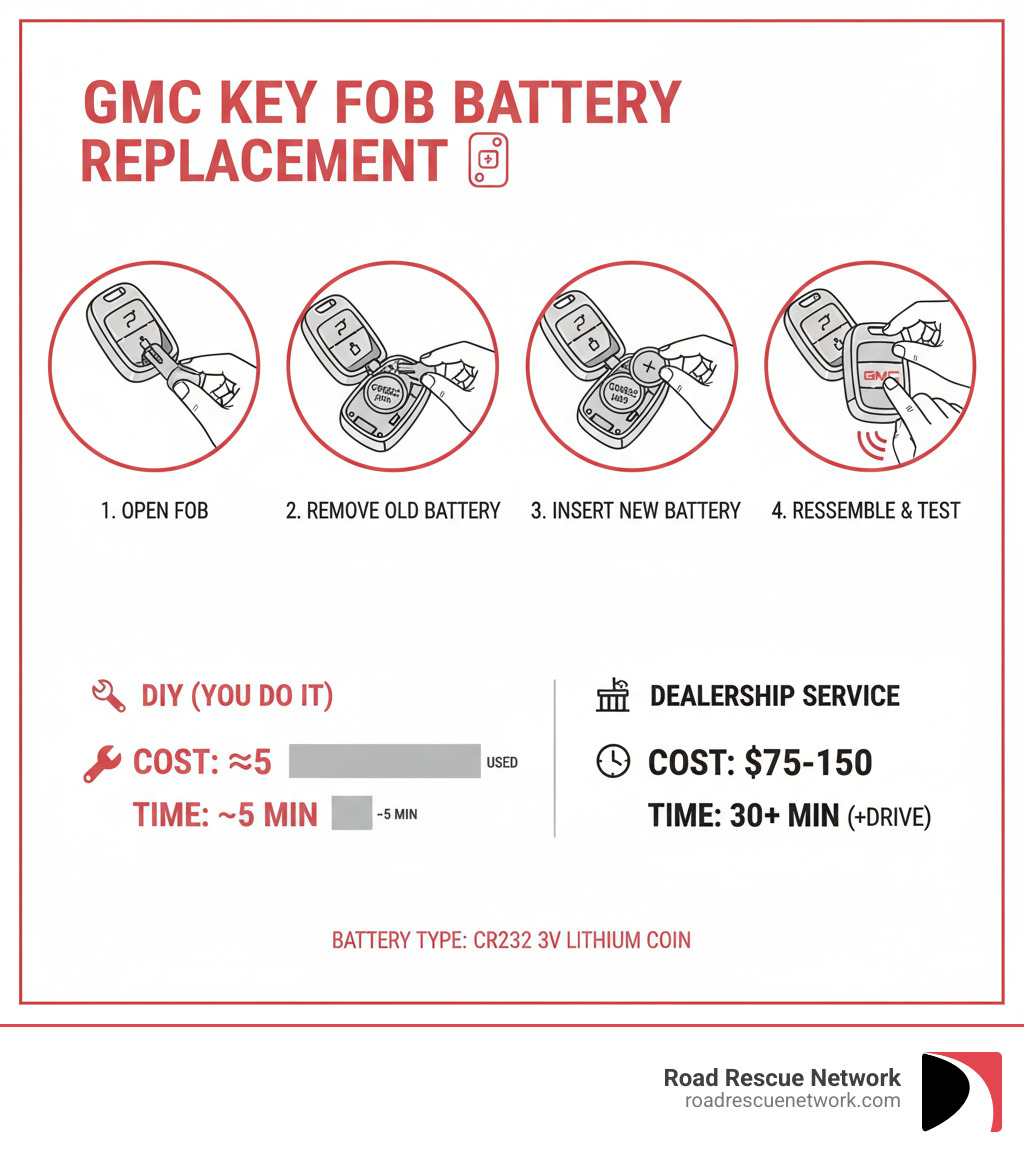
- Remove the physical key – Press the release button and pull out the emergency key
- Open the fob – Insert the key into the seam and twist gently to separate the two halves
- Replace the battery – Pop out the old CR2032 battery and insert a new one (positive side up)
- Snap it closed – Press the two halves together until they click
- Test it – Press the lock/open up buttons to confirm it works
Battery Type: CR2032 3-volt lithium coin battery
Cost: $3-$8 per battery
Time Required: 3-5 minutes
Tools Needed: Small flathead screwdriver (optional) or just the emergency key
The majority of GMC key fobs use the same CR2032 battery, which typically lasts three to four years. When your fob starts requiring multiple button presses or only works when you’re right next to your vehicle, it’s time for a fresh battery. A dealership might charge $50-$150 for this simple service, but you can do it yourself in less time than it takes to drive there.
I’m Byron Tarlton, founder of Road Rescue Network, and over two decades in the roadside assistance and automotive services industry, I’ve seen countless drivers stranded because they didn’t know how simple it is to change battery in GMC key fob before it dies completely. This guide will walk you through the entire process so you’re never caught off guard by a dead key fob.
Preparing to Change the Battery in Your GMC Key Fob
Getting ready to change battery in GMC key fob is the easiest part of the process. Let’s ensure you have the right items before you open the fob.
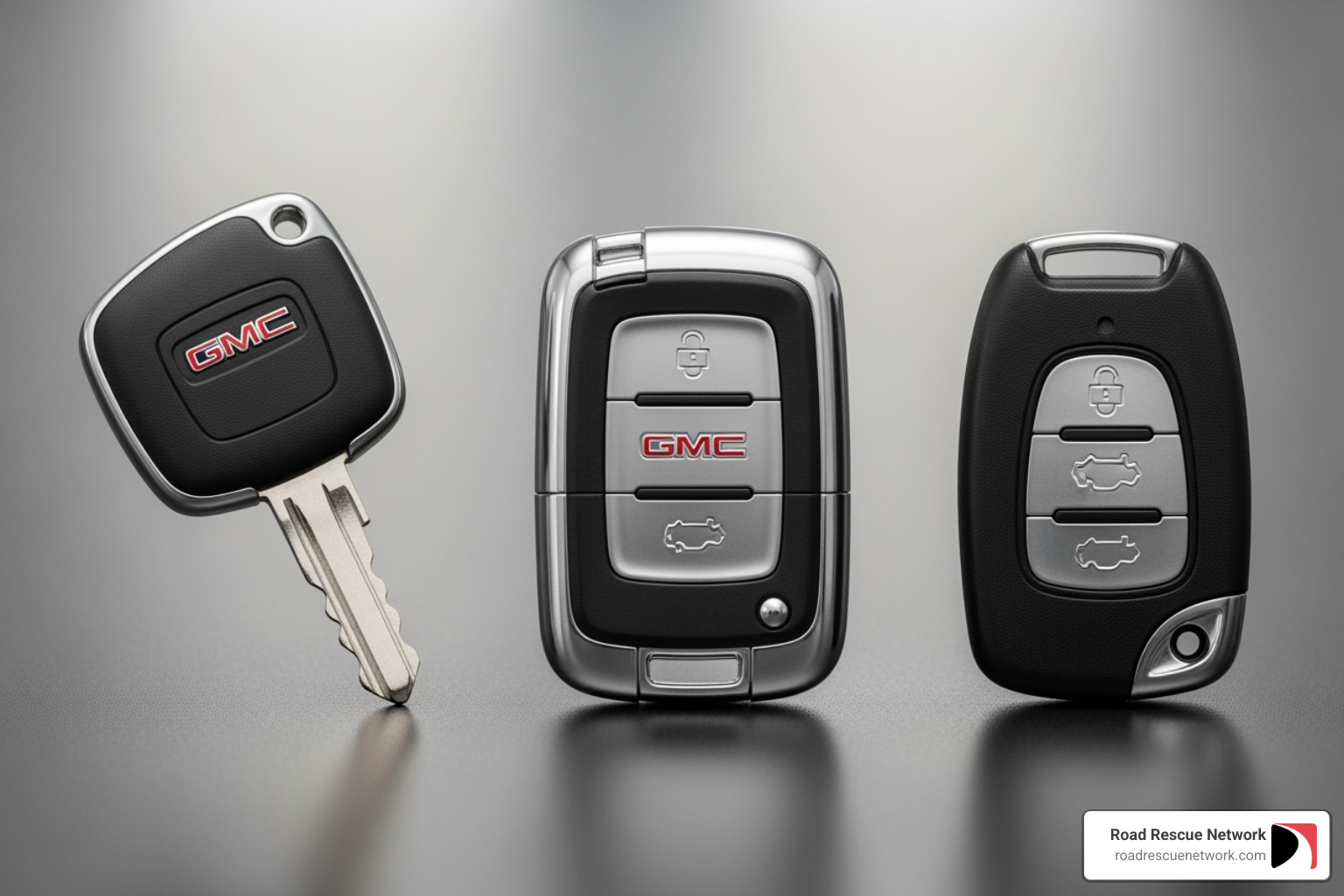
First, identify your key fob style. Your GMC might have a flip-key, a modern smart key, or an older rectangular model. While they open differently, the basic principle is the same. Your owner’s manual will specify the battery type and often show how to open the fob.
Identifying Your GMC Key Fob and Battery Type
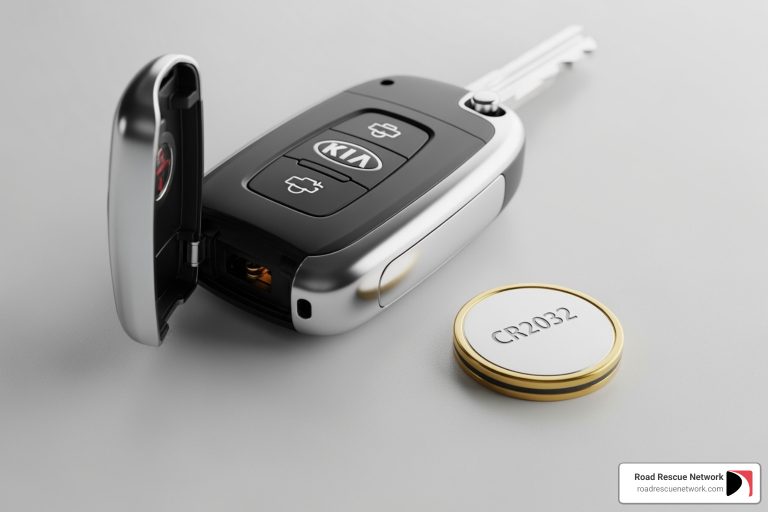
Most GMC vehicles, including the Acadia, Yukon, and Sierra, use the same battery: the CR2032 3-volt lithium coin battery. This flat, nickel-sized battery is a common standard. Some newer or larger smart keys may instead use a CR2450 battery, which is slightly thicker.
Using the wrong battery can prevent the fob from working and may damage the internal contacts. To confirm which battery you need:
- Check your owner’s manual.
- Open the key fob and read the number stamped on the old battery.
- Search online for your GMC model and year plus “key fob battery type,” ensuring the information matches your vehicle’s specific year.
Double-checking the battery type before you buy will save you a headache and protect your key fob.
Tools and Supplies Needed to Change Battery in GMC Key Fob
This DIY project requires minimal tools. You will need:
- A new battery: A fresh CR2032 or CR2450 from a reputable brand. Bargain batteries often have a much shorter lifespan.
- A prying tool: A small flathead screwdriver or a plastic pry tool is ideal to avoid scratching the fob’s case. A credit card can also work in a pinch.
- A clean cloth: Useful for handling the new battery without leaving fingerprints on the contacts and for wiping dust from inside the fob.
You can find these batteries at most auto parts stores, supermarkets, hardware stores, or online retailers. Once you have your supplies, you’re ready to begin.
How to Change Battery in GMC Key Fob: A Step-by-Step Guide
With your tools and new battery ready, it’s time for the replacement. The key to success is a gentle touch to avoid cracking the plastic case.
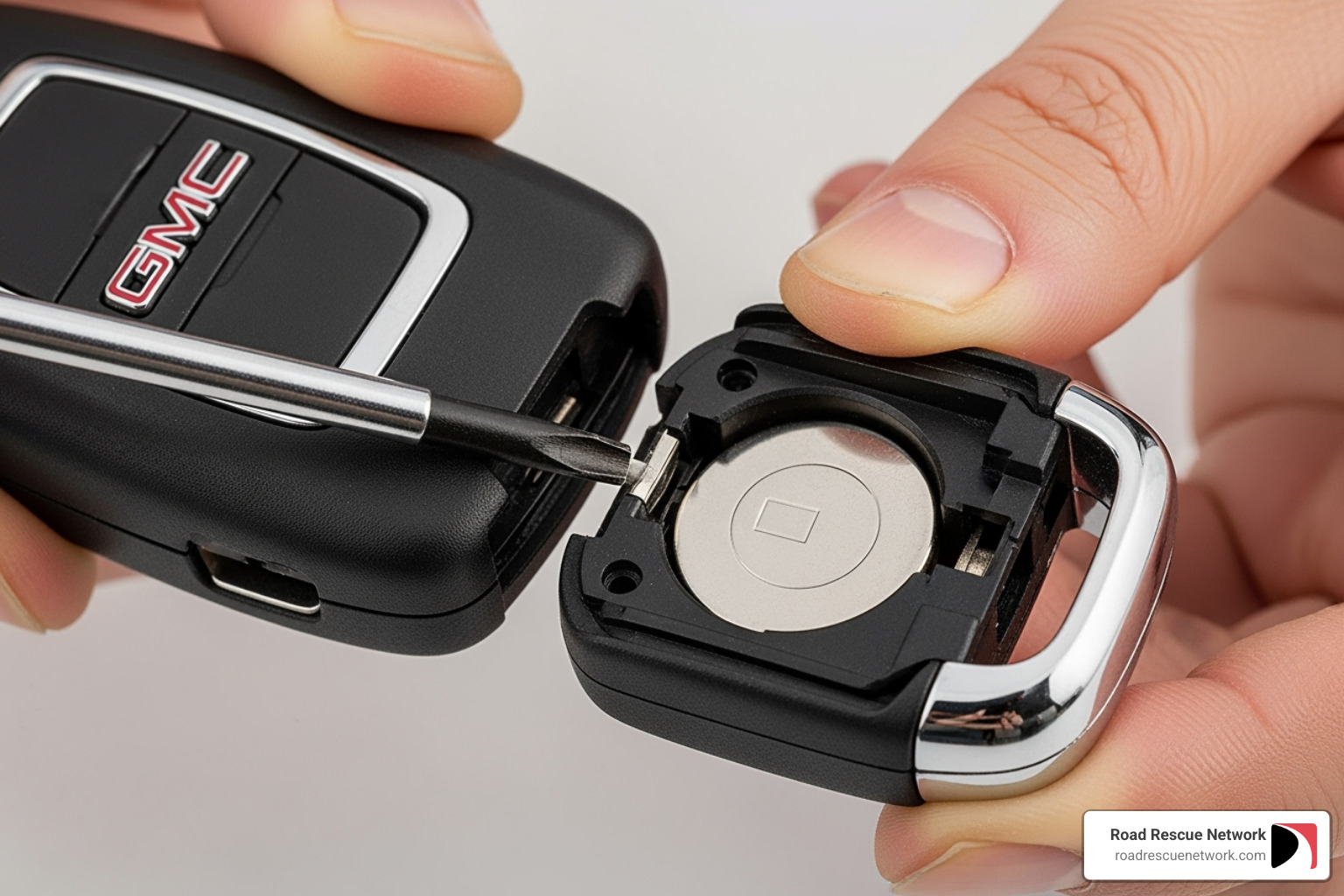
Before you begin, note the orientation of the old battery—the positive (+) side usually faces up. This will prevent you from installing the new one backward. Also, if you see any grease on the terminals, leave it. It’s a protective dielectric lubricant that prevents corrosion.
For Standard & Flip-Key Fobs
This process applies to traditional remotes or flip-keys found on many Acadia, older Yukon, and Sierra models.
Start by releasing the physical key. Press the small release button on the side or back of the fob and slide the metal key out. This key can sometimes be used as your pry tool.
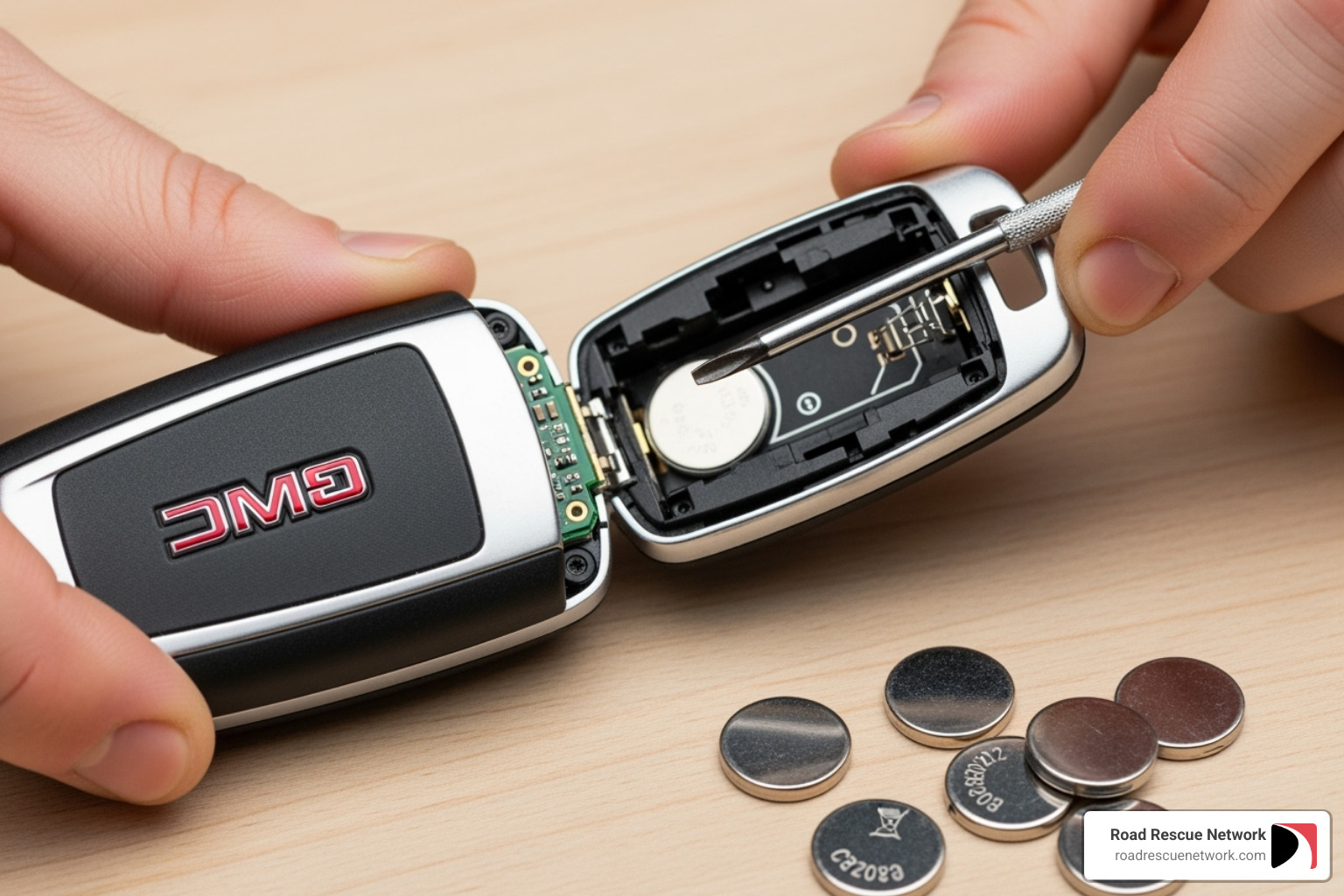
Next, locate the seam where the two halves of the case meet. There is often a small notch along this seam. Insert your small flathead screwdriver or plastic pry tool into the notch and gently twist or apply leverage. You should hear a click as the halves separate. Work your way around the seam until the case is open.
Inside, you’ll see the circuit board and the old battery. Note which side is facing up (usually the positive side with the text). Use your fingernail or the tip of a screwdriver to gently pop the old battery out.
Take your fresh CR2032 or CR2450 battery and position it with the positive (+) side facing the same direction as the old one (text facing up). Slide it into place until it clicks securely under the retaining clips.
Snap everything back together by aligning the two halves of the casing and pressing them firmly until they click shut. Ensure there are no gaps along the seam.
Finally, test the fob. Stand near your GMC and press the lock, open up, and remote start buttons to ensure everything works correctly.
For Modern GMC Smart Keys
Newer GMC models like the Sierra, Yukon, Terrain, or Acadia with push-button start use a smart key. The process is just as simple.
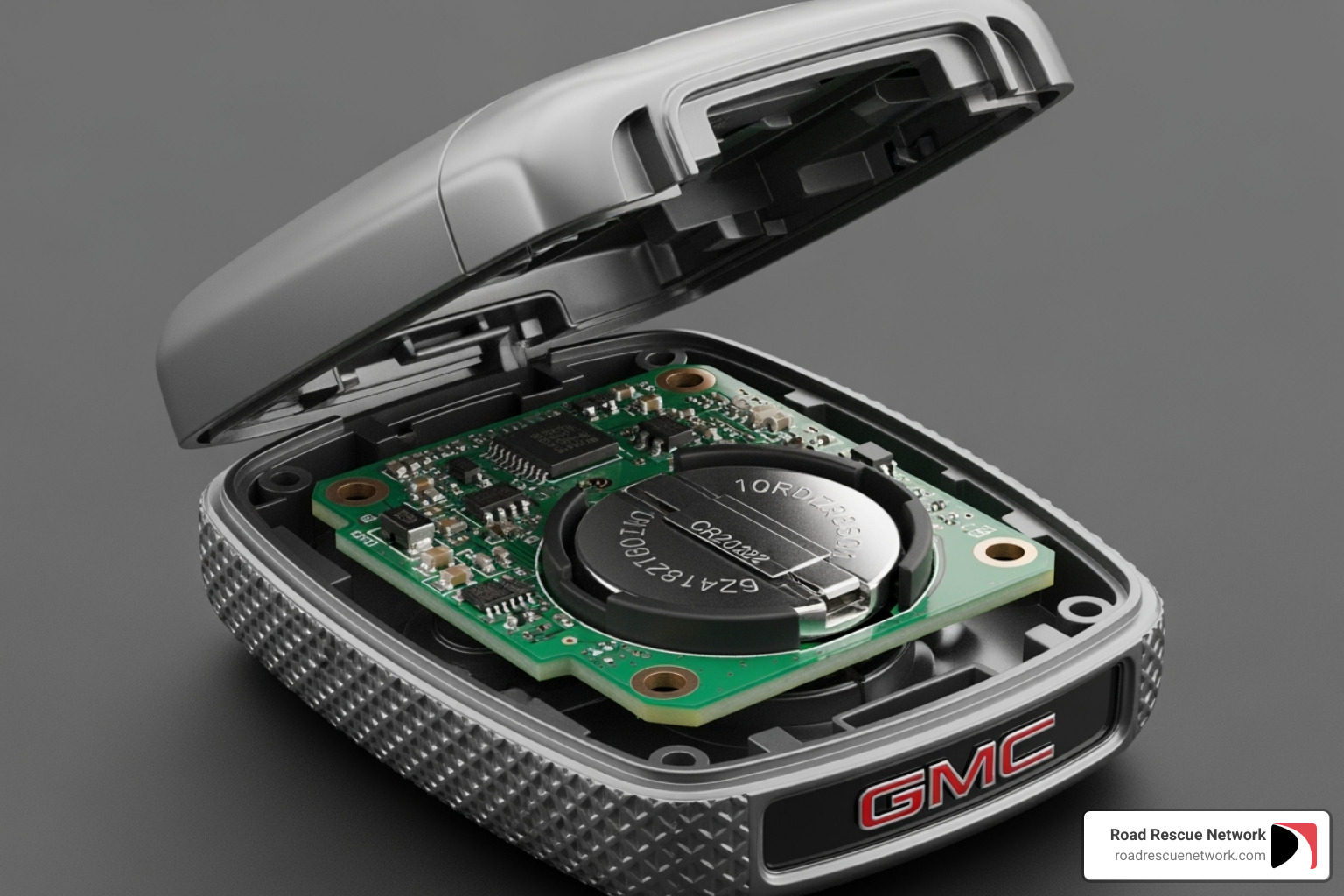
First, release the emergency key hidden inside. Press the small button or switch on the fob, pull the metal key out, and set it aside.
The slot where the key was stored often serves as the pry point. Use the emergency key as a pry tool by inserting its tip into the slot or a nearby notch and giving it a gentle twist. The case halves will begin to separate.
Once separated, you’ll find the circuit board and the coin battery. Note the battery’s orientation before removing it.
Remove the old battery by gently prying it out of its clips. Insert your new CR2032 battery with the positive (+) side (with the writing) facing up. Press it gently until it’s secure.
Reassemble the fob by aligning the two halves and pressing them together until they click shut. Slide the emergency key back into its slot until it locks in place.
Finally, test all functions near your vehicle. Press the lock, open up, and remote start buttons to confirm they are working.
Troubleshooting: What If It Still Doesn’t Work?
If your key fob doesn’t work after replacing the battery, don’t panic. Most of the time, it’s a simple oversight that’s easy to fix. The most common issue is an incorrectly installed battery. Other potential problems include loose contacts, debris inside the case, or a faulty new battery. Before calling a professional, work through these common troubleshooting steps.
Common Fixes for a Non-Working Fob After You Change Battery in GMC Key Fob
-
Check Battery Orientation: This is the most common mistake. Open the fob and ensure the positive (+) side, which has the text printed on it, is facing up.
-
Confirm Correct Battery Type: Most GMC fobs use a CR2032, but some require a CR2450. A CR2032 in a CR2450 slot may not make proper contact. Verify you have the correct battery.
-
Inspect Internal Contacts: The small metal tabs that touch the battery can get bent or dirty. Very gently nudge any bent contacts back into place with a toothpick. Be extremely cautious around the circuit board.
-
Ensure the New Battery is Fresh: Rarely, a new battery can be a dud. If possible, test another new battery to rule this out.
-
Re-seat the Battery: Remove the battery and reinsert it, making sure it snaps firmly into place and sits flat. A slight misalignment can prevent proper contact.
-
Look for Debris: A tiny piece of lint or dust can interfere with the electronics. Use a can of compressed air or a soft brush to gently clean the inside of the fob.
-
Test Your Spare Fob: If your spare key fob works, the problem is isolated to the primary fob, not your vehicle. If neither works, it could point to a vehicle system issue.
If you’ve tried everything and your GMC key fob still won’t cooperate, there might be internal damage to the circuit board, or the fob may need professional reprogramming. While a battery change doesn’t normally require reprogramming, severe power loss or damage can create issues. At that point, a certified GMC technician or a reputable automotive locksmith can diagnose the problem. If you find yourself locked out while dealing with key fob issues—whether you’re in Louisville, KY, Lexington, KY, or elsewhere—24/7 roadside assistance can be a lifesaver.
Frequently Asked Questions
We’ve covered how to change battery in GMC key fob, but some questions come up frequently. Here are answers to the most common concerns.
How often should I replace my GMC key fob battery?
A GMC key fob battery typically lasts three to four years. Heavy use, such as frequent remote starts, can shorten this lifespan. It’s best to replace it proactively every few years to avoid being stranded.
Your fob will usually give you warning signs before it dies completely. Look for:
- Reduced signal range: You have to be closer to the vehicle for it to work.
- Multiple button presses: The fob is unresponsive on the first try.
- Dashboard warning light: Newer models may display a “Replace Battery in Key Fob” message.
- Failing remote start: This function often stops working first as it requires more power.
Acting on these signs can prevent a lockout.
Do I need to reprogram my GMC key fob after a battery change?
No, you typically do not need to reprogram your GMC key fob after changing the battery. This is a common automotive myth. The fob’s unique identification code is stored in non-volatile memory, meaning it doesn’t need power to retain the information. Once you insert a new battery, it should immediately work with your vehicle.
Reprogramming is only necessary when syncing a brand-new fob to your vehicle, not when replacing the battery in an existing one. If your fob isn’t working after a battery swap, the issue is likely one of the problems listed in our troubleshooting section.
How do I properly dispose of my old key fob battery?
Lithium coin batteries shouldn’t be thrown in the regular trash because they contain chemicals harmful to the environment. Proper disposal is easy.
Most communities have battery recycling programs. Electronics stores like Best Buy, hardware stores like Home Depot and Lowe’s, and many auto parts stores have collection bins for old batteries. Before recycling, put a small piece of tape over the battery’s terminals to prevent any potential short circuits.
For more information on local recycling options, you can visit the Environmental Protection Agency’s website on recycling used batteries or check your local waste management authority’s website. Taking a moment to dispose of the battery correctly is a responsible choice.
Conclusion: Your Key Fob is Ready to Go
Congratulations! By learning to change battery in GMC key fob, you’ve saved time, money, and a trip to the dealership. This simple, five-minute task empowers you to handle your own vehicle maintenance. The key takeaways are to use the correct battery (usually CR2032), be gentle when opening the case, and install the new battery with the positive side facing up. Reprogramming is not necessary for a simple battery change, and you should always recycle the old battery.
While this guide covers the most common scenario, some issues require a professional. If your fob is physically damaged or still won’t work after troubleshooting, a certified technician or automotive locksmith can provide a diagnosis.
Car troubles like a dead key fob can happen at the worst times, potentially leaving you stranded. Whether it’s a lockout, a dead car battery needing a jumpstart, or a flat tire, you don’t have to face these emergencies alone.
That’s why Road Rescue Network exists. We connect you instantly with local rescuers for fast, 24/7 roadside assistance—no memberships or hidden fees. Our network spans from New York, NY to San Diego, CA, covering major cities like Chicago, IL, Houston, TX, Phoenix, AZ, Philadelphia, PA, and San Antonio, TX. Whether you’re dealing with a lockout, need emergency key services, or face any other roadside emergency, we’re just a call or click away. Get 24/7 roadside assistance whenever you need it—because peace of mind shouldn’t require a membership card.
Your key fob is now ready to go, and so are you. Safe travels out there!