How to Change Your Toyota Key Fob Battery
Why Your Toyota Key Fob Battery Matters
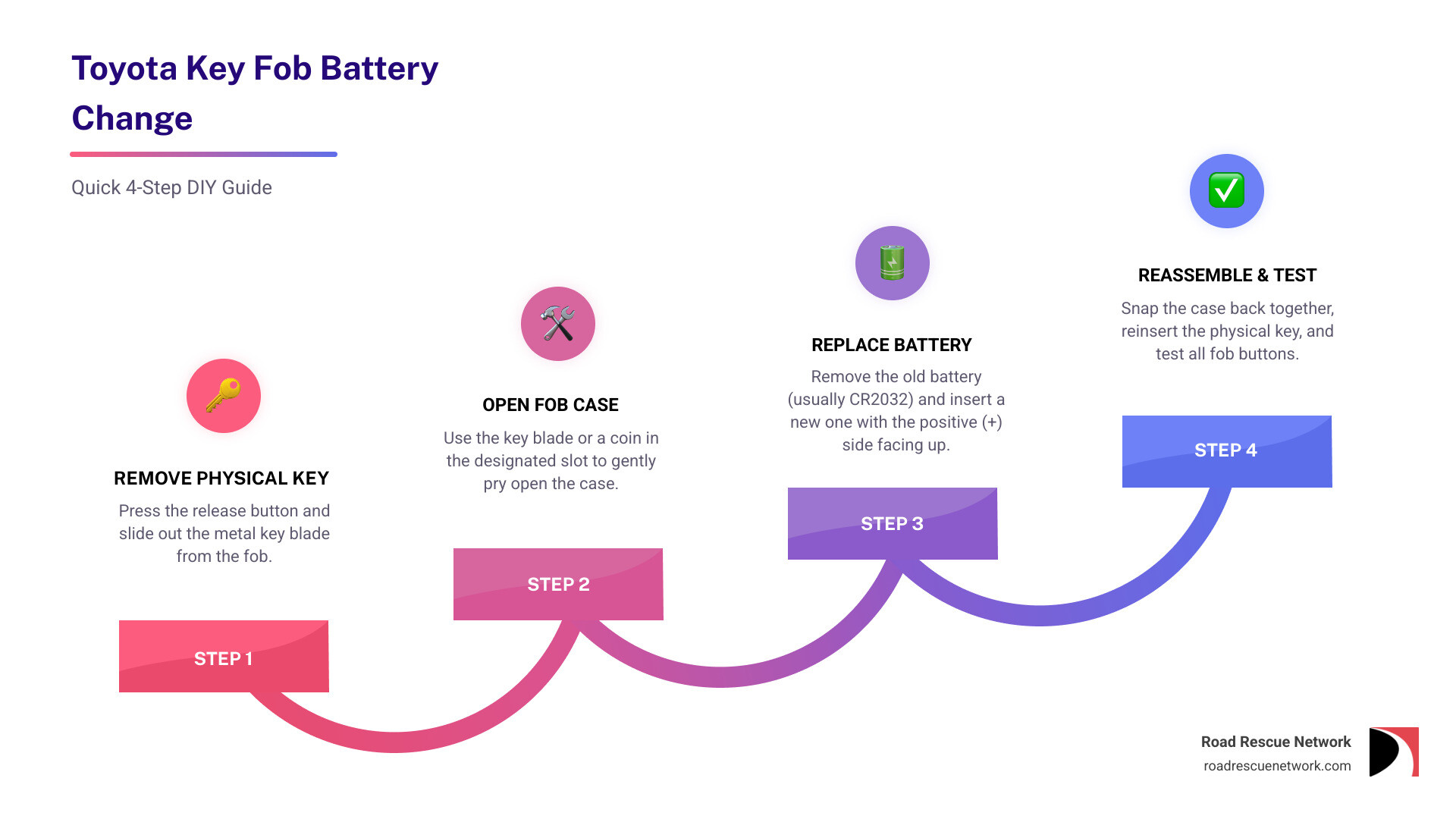
Change battery in toyota key fob in under 5 minutes with just a coin and a replacement battery. Here’s the quick process:
- Remove the physical key from the fob by pressing the release button
- Open the case using the key blade or a coin in the slot where the key was
- Replace the battery (usually CR2032) with the positive side facing up
- Snap the case back together and test all buttons
Nothing ruins your day quite like pressing your key fob button in a parking lot and getting no response. Whether you’re heading to work, picking up the kids, or running errands, a dead key fob battery can leave you locked out at the worst possible time. The good news? Replacing your Toyota key fob battery is one of the easiest car maintenance tasks you can do yourself—no special skills required, no expensive dealership visit needed.
Most Toyota key fobs use a simple CR2032 battery that costs between $3 and $10 at any big-box retailer or electronics store. The typical key fob battery lasts 3 to 5 years, but you’ll usually see warning signs before it dies completely—like reduced signal range, inconsistent button response, or a dimmer LED light when you press a button.
I’m Byron Tarlton, founder of Road Rescue Network, and I’ve helped thousands of drivers get back on the road after lockouts and car troubles. Over the years, I’ve seen countless situations where drivers could have avoided a lockout simply by knowing how to change battery in toyota key fob themselves—it’s one of the simplest preventive maintenance tasks that saves both time and money.
When to Replace Your Toyota Key Fob Battery
Your Toyota key fob is pretty good at letting you know when its battery is running low—you just need to know what to look for. Think of it like your phone battery: it doesn’t usually die without warning. Instead, you’ll notice it acting a bit off in the days or weeks before it completely gives up.
The most common sign is reduced signal range. You might find yourself walking closer and closer to your car before the doors open up. Maybe you used to open up your Toyota from across the parking lot, but now you’re practically touching the door handle before it responds. That’s your fob’s way of saying “I’m running out of juice!”
Another telltale sign is inconsistent button response. One morning it works perfectly fine, but by afternoon you’re standing there clicking the lock button five times like you’re playing a video game. Sometimes it works on the first press, other times you need to hold it at just the right angle or press it multiple times. This frustrating on-again, off-again behavior is classic dying battery territory.
Check your key fob’s LED light the next time you press a button. Most Toyota key fobs have a small light that flashes when you use them. If that light looks dimmer than usual—or doesn’t light up at all—your battery is definitely on its last legs.
Here’s a nice bonus feature: some newer Toyota models will actually tell you when the key fob battery is low. You’ll see a warning light pop up on your dashboard, giving you a heads-up before you’re stuck in a parking lot. It’s like your car is looking out for you!
So how long should you expect a key fob battery to last? Most Toyota key fob batteries last between 3 to 5 years, though this can vary based on how often you use your fob and where you live. If you’re constantly locking and open uping your car, or you live somewhere with extreme temperatures (hello, Phoenix summers and Minnesota winters), you might need to change battery in toyota key fob a bit sooner.
The good news is that catching these warning signs early means you can replace the battery on your own schedule—not when you’re running late for work or stuck at the grocery store with a cart full of melting ice cream.
How to Change the Battery in a Toyota Key Fob: A Step-by-Step Guide
Ready to tackle this simple DIY task? I promise it’s easier than you think. This whole process takes about five minutes, and you probably already have everything you need at home.
What You’ll Need to Change the Battery in a Toyota Key Fob
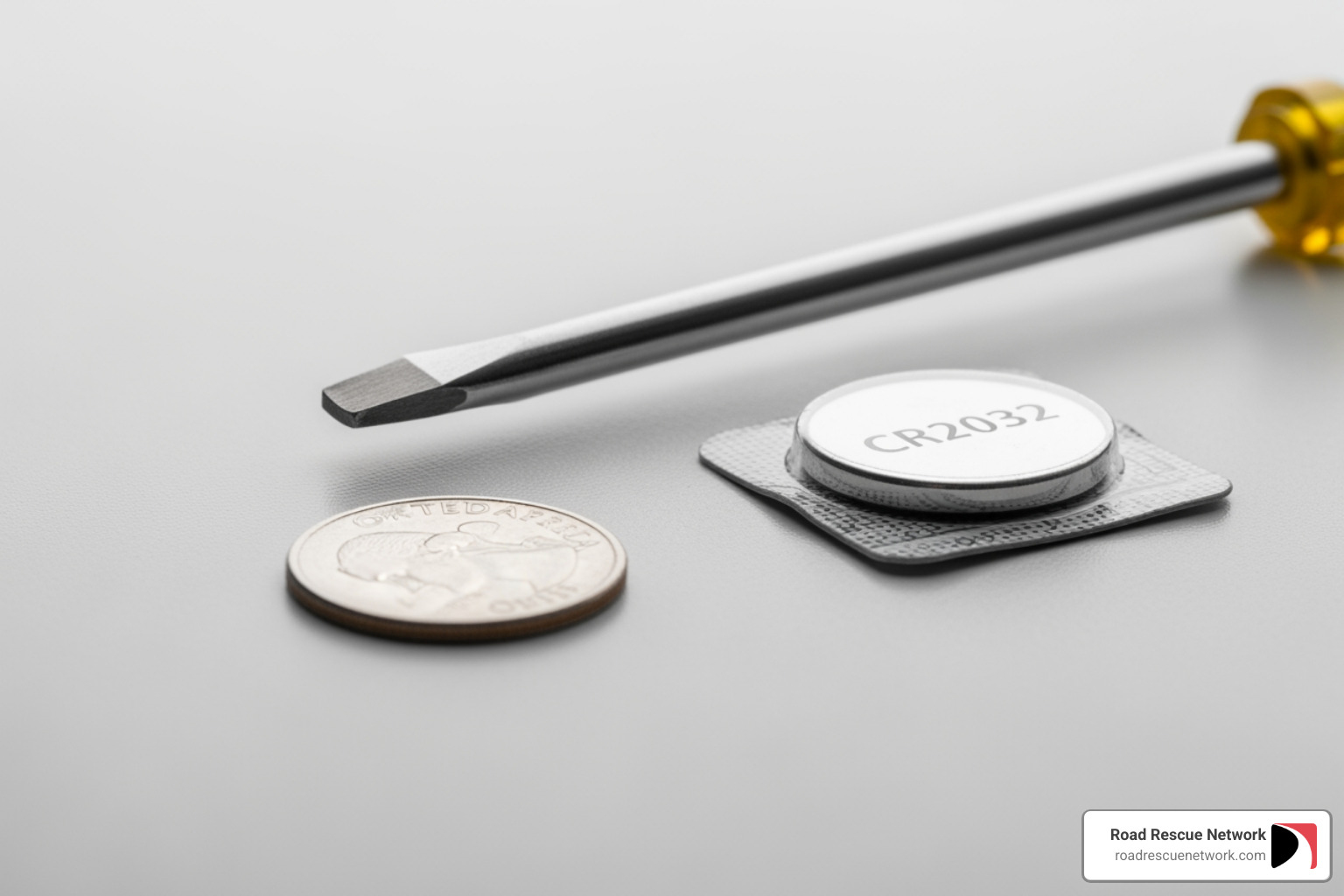
Let’s start by gathering our supplies. The most important item is the replacement battery itself. Most Toyota key fobs use a CR2032 battery—that’s a common 3-volt lithium coin cell that’s about the size of a nickel. However, some Toyota models are a bit different. The CR2016, CR2025, and CR2450 are also used in certain vehicles. For example, the Toyota Yaris uses a CR2025, while the 2021 Toyota Venza needs a CR2450.
Before you head to the store, check your owner’s manual to confirm which battery type your specific model requires. If your manual isn’t handy, a quick internet search for your car’s year, make, and model plus “key fob battery” will give you the answer in seconds.
Once you know what you need, finding the battery is simple. You can pick up a CR2032 at practically any big-box store like Target or Walmart, hardware stores, or electronics retailers. The cost is typically between $3 and $10, with CR2032 batteries often selling for under $5.
As for tools, you’ll need just a few basic items. A small flat-head screwdriver works great—a jeweler’s screwdriver is perfect if you have one. If not, a coin like a penny or nickel does the job just as well. You’ll also use your physical emergency key that’s tucked inside the fob. In some cases, especially with older models, a thin knife blade or spudger might be helpful, but most people won’t need anything beyond a coin.
Opening the Key Fob Case
This step might feel intimidating, but it’s actually quite straightforward once you know the trick. The goal is to gently separate the two halves of the key fob without damaging the plastic case.
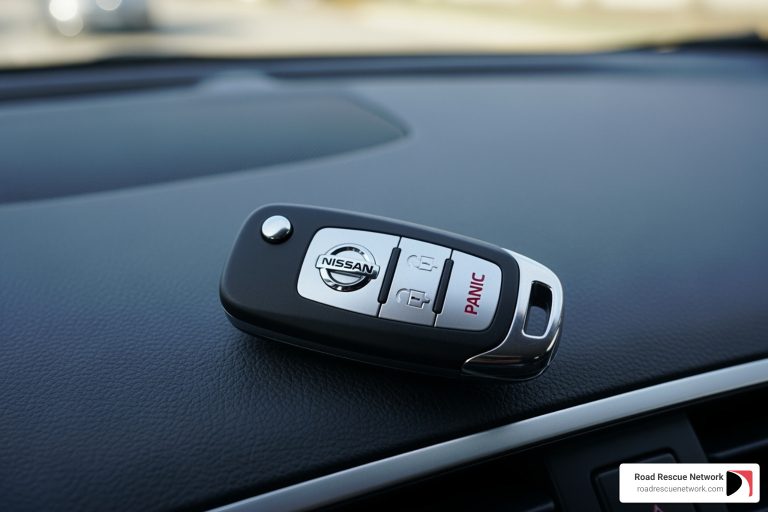
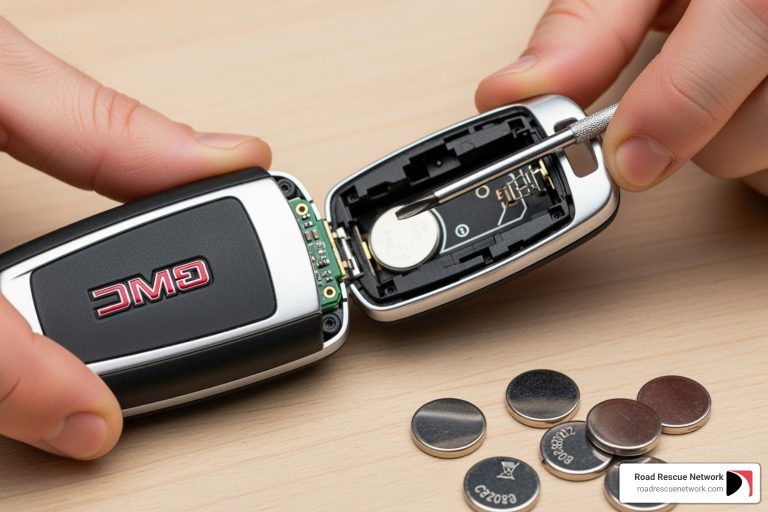
Start by removing the physical key. Look for a small release button—it’s usually metal and located on the side or top of your key fob. Press this button and slide the physical key blade out. This key isn’t just for emergencies when your fob dies; it’s also going to help us open the case.
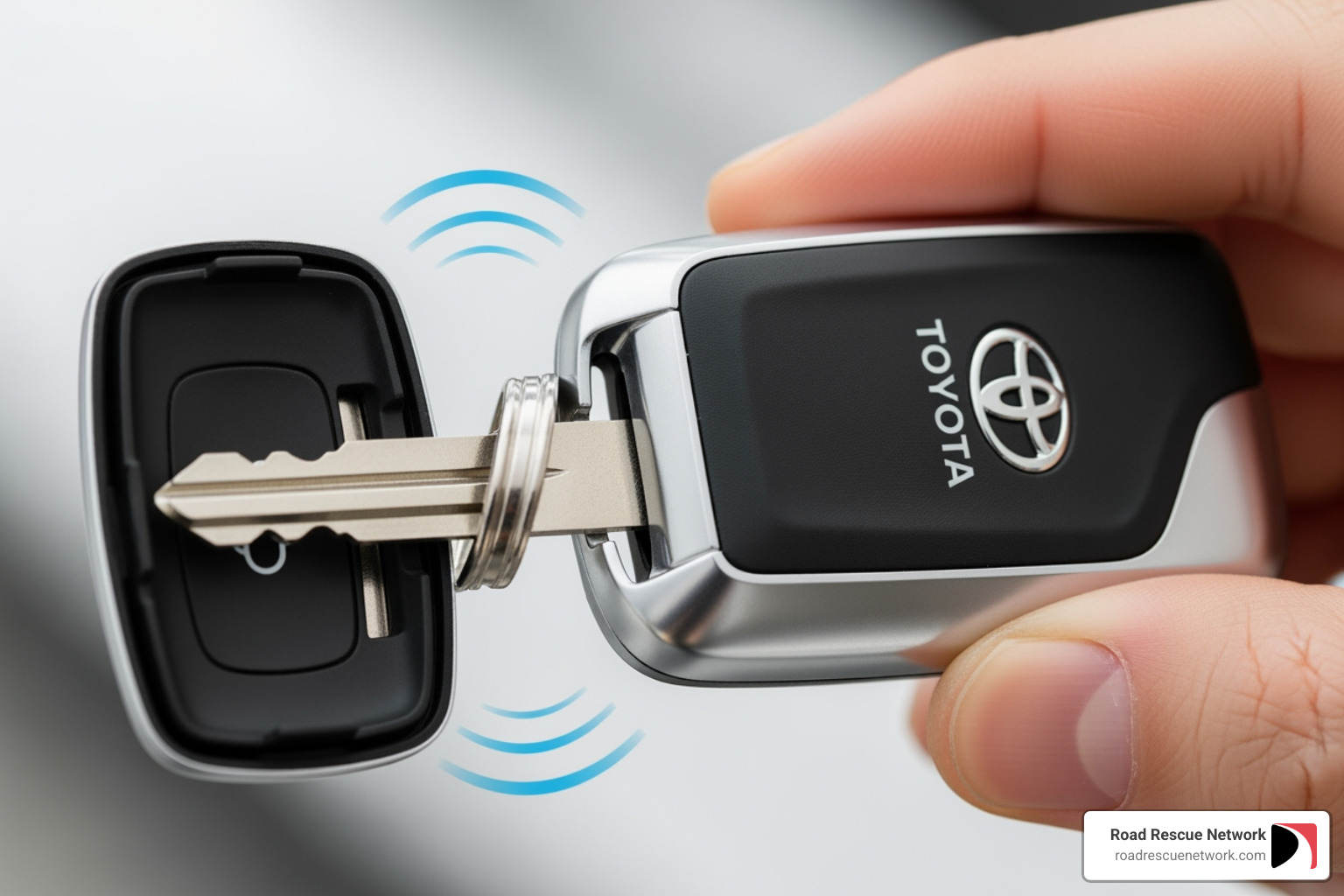
For newer Toyota fobs, the designers made this really easy. Look inside the rectangular slot where the physical key was housed. You can insert the tip of the key blade itself (or a small flat-head screwdriver) into this slot and gently twist. The two halves should separate with minimal effort. The key acts as a perfect leverage point.
For older Toyota models, you’ll see a visible notch or seam running along the edge of the fob. Insert your small screwdriver or coin into this notch and gently twist. Work your way around the seam if needed, applying steady but gentle pressure until the case pops open. If you’re using a knife, please be careful—we want to change a battery, not end up needing a bandage!
Here’s a pro tip from years of helping people with this: start prying from the inside edge where the metal key was removed. This area is designed to handle some leverage and is less visible, so any tiny marks won’t be noticeable. The key word here is “gentle”—we’re not trying to crack open a walnut. Those plastic clips inside are tougher than they look, but they’ll break if you’re too aggressive.
Replacing the Old Battery and Reassembling
Congratulations! You’ve opened the fob, and now you’re in the home stretch.
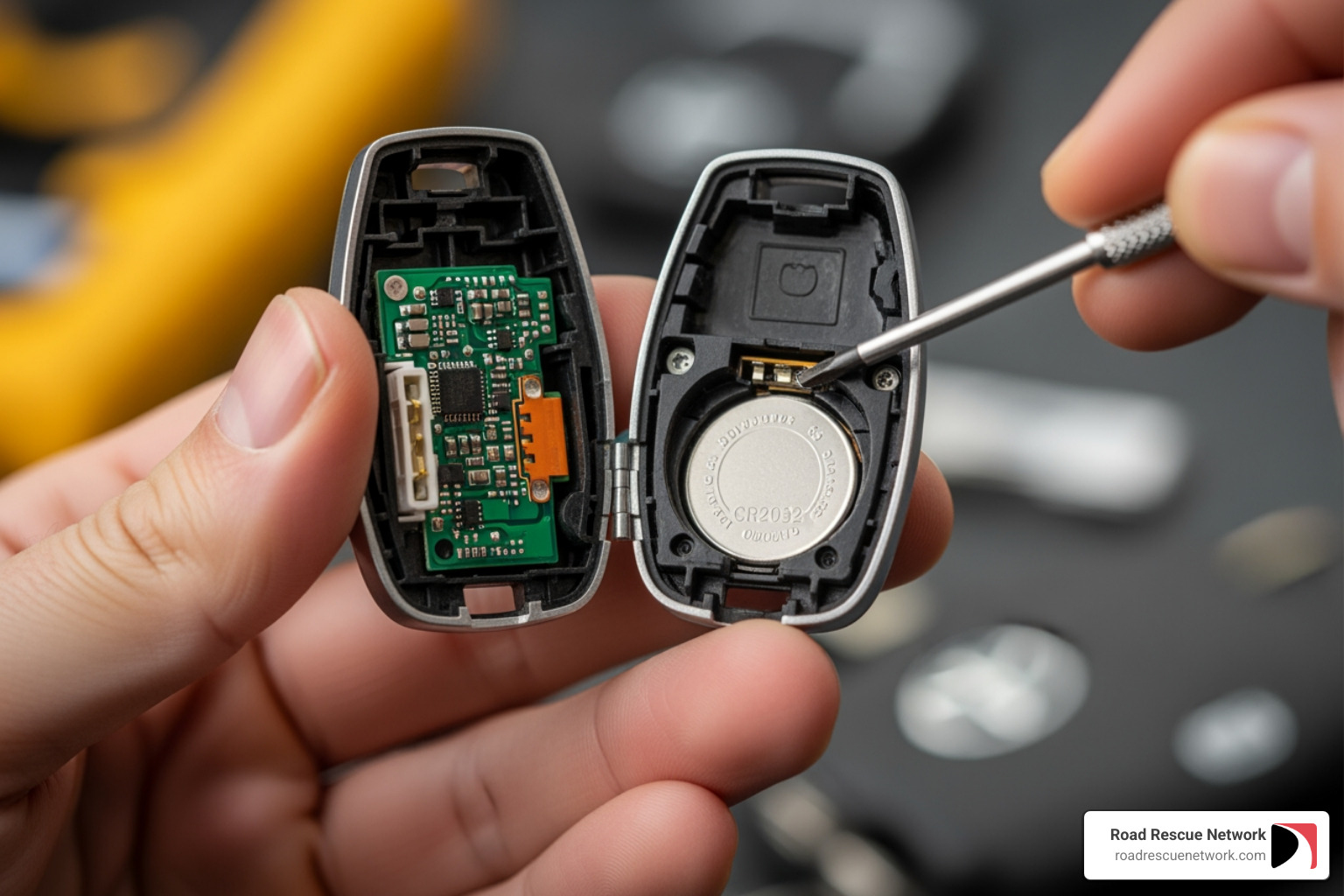
Inside, you’ll see a circuit board. On some Toyota models, you might need to gently lift this green circuit board to reach the battery underneath. Handle it carefully—these components are delicate, and we don’t want to damage any of the electronics.
Before you touch anything, take a moment to look at how the old battery is positioned. Notice which side is facing up—you’ll see either a plus (+) sign or a smooth surface on top. I always recommend snapping a quick photo with your phone. This makes reassembly foolproof.
Use your small flat-head screwdriver or a thin tool to gently pry the old coin cell battery out of its holder. It should pop out easily. One thing I’ve learned from automotive locksmiths: don’t wipe off any grease you see on the battery terminals or the back of the circuit board. This might look like dirt, but it’s often there for protection or conductivity.
Now insert your new battery, making sure the positive (+) side faces the same direction as the old one. Press it down gently until it sits securely in the holder. Make sure there’s no debris or dust in the holder that might prevent good contact.
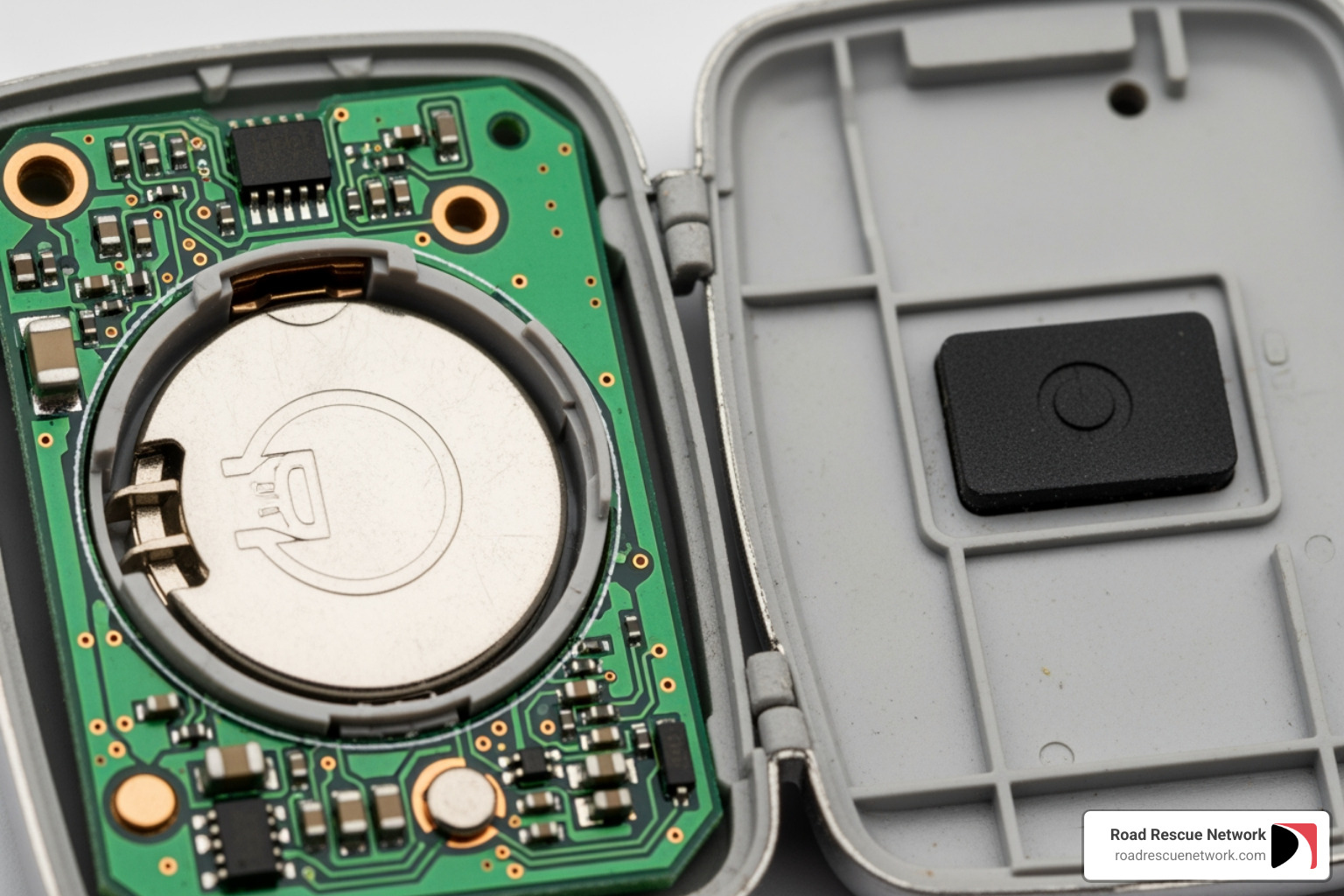
If you removed the circuit board, carefully place it back into position. Then align the two halves of the key fob case and press them firmly together. You should hear a satisfying click as the clips snap into place. Finally, slide your physical emergency key back into its slot until it locks securely.
That’s it! You’ve just successfully completed a change battery in toyota key fob procedure. Not so scary after all, right?
What to Do After Your Battery Replacement
Congratulations! You’ve just completed one of the easiest car maintenance tasks out there. But before you celebrate, let’s make sure everything is working properly.
Start by testing all the buttons on your key fob. Press the lock button, then the open up button. Try the trunk release. If you’re feeling brave (and your neighbors are understanding), give the panic button a quick tap. Each button should get an immediate response from your car—you should hear the locks click and see the lights flash.
Next, take a look at the LED indicator light if your fob has one. Press any button and watch for that little red light to shine brightly. A strong, clear light tells you the new battery is doing its job. If the light looks dim or doesn’t appear at all, you might need to double-check the battery orientation.
Here’s where it gets fun—take a walk. Head about 10 to 20 feet away from your car and try locking and open uping it from that distance. Your key fob’s range should be back to normal now. If you were previously standing right next to your car door just to get it to respond, this restored range will feel like a small miracle.
The best part? You don’t need to reprogram anything. Unlike getting a brand new key fob, simply replacing the battery doesn’t erase your fob’s memory. It stays programmed to your specific Toyota, so you can skip any complicated synchronization steps. Just pop in that new battery, snap the case shut, and you’re good to go.
If you’re someone who likes to see the process in action, check out this visual guide to replacing a Toyota key fob battery. Sometimes watching someone else do it first can make the whole thing feel even easier.
Troubleshooting After You Change the Battery in a Toyota Key Fob
So you’ve replaced the battery, but your key fob is still acting up? Don’t panic—this happens, and there are usually simple fixes.
The most common problem is incorrect battery orientation. I know, I know—you were so careful! But it’s worth checking again. Pop open the fob one more time and make sure the positive (+) side of the battery is facing the right direction. It’s an easy mistake to make, and it’s also the easiest to fix.
Sometimes the issue isn’t the battery at all—it’s dirty contacts. Over time, dust, oil from your fingers, or even tiny bits of corrosion can build up on the metal contacts inside your key fob. Grab a clean, dry cloth or a cotton swab and gently wipe the contacts where the battery touches the fob. Make sure everything is clean and that the battery is making solid contact with those metal points.
Still not working? Try a different new battery. It’s rare, but occasionally you can get a dud battery right out of the package. If you have another CR2032 (or whatever type your fob uses) on hand, swap it in and see if that solves the problem. This is why some people like to buy batteries in multi-packs—you always have a backup.
If none of these troubleshooting steps work, you might be dealing with physical damage to the fob itself. Maybe you’ve dropped your key fob one too many times (we’ve all been there), or perhaps moisture got inside at some point. Sometimes a cracked case is the only problem, and replacing just the case can get you back in business. But if there’s damage to the internal circuit board or other components, you might need a full fob replacement.
What If My Key Fob is Lost or Damaged?
Let’s talk about the worst-case scenario—when your key fob is completely lost, stolen, or damaged beyond repair. It’s stressful, but you have options.
Your Toyota dealership is always a reliable choice for replacement. They’ll provide genuine Original Equipment Manufacturer (OEM) parts that are guaranteed to work perfectly with your specific model. You’ll need to bring proof of ownership—typically your registration, VIN, and a valid ID—for security reasons. They can also cut a new physical key if yours went missing along with the fob. The dealership can handle everything from parts to programming in one visit.
A professional automotive locksmith is often a more budget-friendly alternative. Many reputable locksmiths specialize in automotive work and have the equipment needed to cut and program new key fobs for Toyota vehicles. The big advantage? Many offer mobile services, meaning they’ll come to your home or workplace in cities like Chicago, Houston, Phoenix, San Antonio, or San Diego. Just make sure you choose a certified locksmith with solid reviews—you want someone trustworthy who will ask for proof of ownership before making you a new key.
Here’s an important distinction: while changing a battery doesn’t require any reprogramming, a completely new key fob absolutely does. The new fob needs to be programmed to communicate with your specific vehicle’s security system. This programming process typically adds $50 to $100 on top of the cost of the fob itself. If you’re having a locksmith come to your location to reprogram an existing fob, expect to pay somewhere between $150 and $250.
Replacement costs vary quite a bit depending on your Toyota model and what features your key fob has. A basic Toyota key replacement might run $50 to $100, while advanced fobs with push-button start and other smart features can cost anywhere from $100 to $300 or more.
If your key fob is lost rather than damaged, start by retracing your steps and checking all the usual spots—coat pockets, between couch cushions, that mysterious black hole in your car’s center console. If it’s truly gone, get a replacement as soon as possible. For added security, you might want to have the lost fob deactivated from your vehicle’s system so no one else can use it.
For a damaged fob that got wet, act fast! Remove the battery immediately to prevent corrosion. Dry the fob with a soft cloth, then bury it in a bowl of uncooked rice for at least 24 hours. The rice will absorb moisture from all those tiny crevices. Once it’s completely dry, put the battery back in and test it. You might just save yourself the cost of a replacement.
Here’s a quick comparison to help you decide between a dealership and a locksmith for a full key fob replacement:
| Feature | Dealership | Professional Automotive Locksmith |
|---|---|---|
| Cost | Generally higher, especially for programming and OEM parts. | Often more affordable. |
| Parts | Guaranteed genuine OEM (Original Equipment Manufacturer) parts. | Can provide OEM or high-quality aftermarket parts. |
| Convenience | Requires scheduling an appointment and visiting the dealership. | Many offer mobile services, coming to your location in cities like San Antonio or San Diego. |
| Security | Highest level of security, ensuring proper programming and deactivation of lost fobs. | Reputable locksmiths are secure, but it’s crucial to verify their training, certifications, and reviews. Be wary of unverified online purchases or locksmiths who don’t ask for proof of ownership, as this can leave you open to scammers. |
| Expertise | Specialized knowledge of Toyota systems. | Trained in various vehicle makes and models. |
| Timeframe | May require ordering parts, leading to a wait time. | Often quicker, especially for on-site programming. |
| Programming | Included with new fob purchase. | Included with new fob purchase, or for reprogramming existing fobs. Programming costs can add an additional $50 to $100 on top of the fob’s price, and a locksmith might charge $150 to $250 to come to your location and reprogram an existing fob. |
| Proof of Ownership | Always required (registration, VIN, ID). | Always required by reputable locksmiths. |
| Warranty/Insurance | Check if your car insurance or warranty covers key fob replacements. | Less likely to be covered directly, but check with your provider. |
Frequently Asked Questions about Toyota Key Fobs
How much does it cost to replace a Toyota key fob battery?
Here’s the good news: replacing your Toyota key fob battery yourself is probably the cheapest car maintenance task you’ll ever do. When you change battery in toyota key fob on your own, you’re looking at spending just $3 to $10 for the battery itself. Most CR2032 batteries retail for under $5 at places like Target, Walmart, or your local hardware store. That’s less than a fancy coffee!
Now, if you’d rather have someone else handle it—maybe you’re not comfortable prying open the fob, or you just want the peace of mind—you can have a professional do it at a dealership or service center. In that case, you’ll pay for the battery plus their labor time, which typically brings the total to somewhere between $15 to $30 or more. It’s a simple job that takes them just a few minutes, but convenience does come with a small premium.
The DIY route is definitely the most budget-friendly option, and honestly, once you’ve done it once, you’ll wonder why you ever considered paying someone else!
Do I need to program my Toyota key fob after replacing the battery?
This is one of the most common questions we hear, and I’m happy to share the answer: No, you don’t need to program your Toyota key fob after a simple battery replacement. Your key fob is smarter than you might think—it retains its programming in its internal memory even when the battery dies or gets removed. Once you pop in that fresh battery, it should work immediately with your vehicle, just like it always has.
The programming question only becomes relevant if you’re dealing with a completely new key fob—say, because your original was lost, stolen, or damaged beyond repair. In that scenario, yes, the new fob will need to be programmed to establish that unique electronic handshake with your specific vehicle. This programming service typically costs an additional $50 to $100 on top of the fob’s purchase price.
But for the routine battery swap we’re talking about here? You’re good to go. Just replace it and test your buttons—no dealer visit required.
What type of battery does a Toyota key fob use?
If you drive a Toyota, there’s a very good chance your key fob uses a CR2032 battery. This 3-volt lithium coin cell is the standard across most Toyota models, and it’s readily available just about everywhere—from grocery stores to gas stations.
That said, Toyota does use a few different battery types depending on the specific model and year of your vehicle. Some older or smaller fobs might use a CR2016, which is essentially a thinner version of the 2032. If you drive a Toyota Yaris, you might need a CR2025 instead. And owners of the 2021 Toyota Venza will want to pick up a CR2450, which is a larger coin cell battery.
The best way to know for certain? Check your owner’s manual—it’ll tell you exactly which battery your specific key fob requires. If you’ve misplaced your manual (hey, it happens to all of us), you can usually find this information with a quick online search for your car’s year, make, and model plus “key fob battery type.” Or just give the parts department at your local Toyota dealership a call—they can look it up by your VIN in seconds.
Conclusion
You’ve made it to the end of our guide, and we hope you’re feeling confident about tackling this simple maintenance task! Changing the battery in your Toyota key fob really is one of those rare car tasks that’s genuinely easy, genuinely quick, and genuinely cheap. With just a few minutes and a few dollars, you can keep your key fob working perfectly and avoid the headache of being locked out at the worst possible moment.
Remember those warning signs we talked about—reduced range, inconsistent button response, that dim LED light. Catching these early means you’ll never be caught off guard in a parking lot with a completely dead fob. And now that you know the process, you can handle this maintenance task yourself anytime, anywhere.
But life happens, and sometimes despite our best efforts, we still end up locked out. Maybe the battery died faster than expected, maybe the fob got damaged, or maybe you simply can’t find your keys. That’s exactly why Road Rescue Network exists. We’re here for those moments when you need help right now—whether that’s a lockout in Phoenix, a dead battery needing a jumpstart in Chicago, a flat tire in Houston, or you’ve run out of gas in Dallas.
We provide 24/7 on-demand roadside assistance with no membership fees and no hidden charges. Just fast, reliable help when you need it most. We instantly connect you with local rescuers across our service areas, including New York, Los Angeles, San Antonio, San Diego, and many more cities nationwide.
Keep our number handy for those unexpected moments. When your day takes an unexpected turn and you need someone who can help fast, we’re just a tap away. If you’re locked out or need a jumpstart, get fast help now.