How to Change Your Mercedes Key Fob Battery
Why Your Mercedes Key Fob Battery Matters
Change battery in mercedes key is a simple 5-minute DIY task that can save you from getting stranded. Here’s the quick answer:
Quick Steps to Change Your Mercedes Key Battery:
- Identify your key type – Newer Chrome SmartKey® uses one CR 2025 battery; older SmartKey® uses two
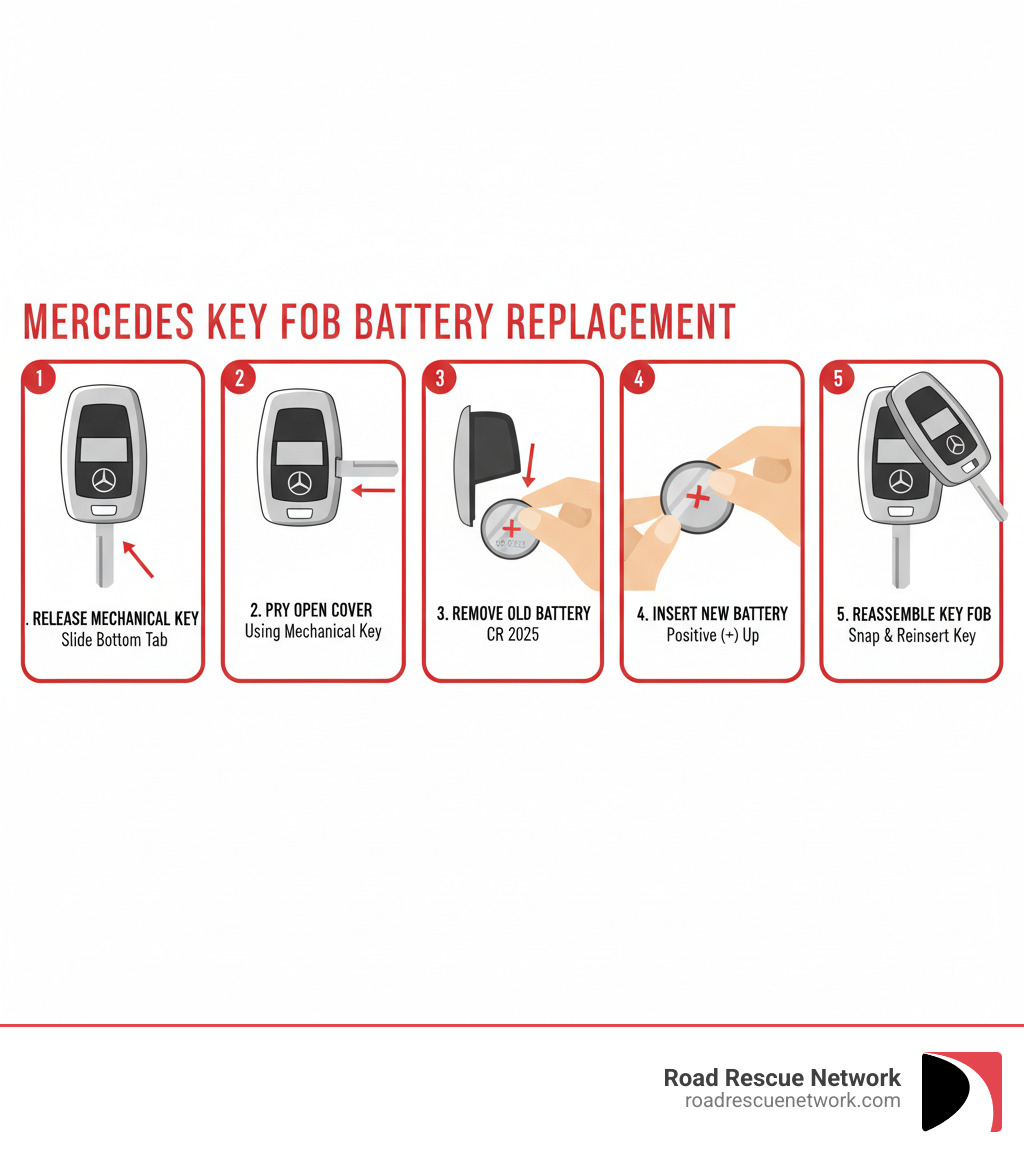
- Release the mechanical key – Slide the tab at the bottom to remove it
- Open the battery cover – Use the mechanical key to pry it open
- Replace the battery – Remove old battery and insert new CR 2025 with positive side up
- Reassemble – Snap the cover back on and reinsert the mechanical key
Your Mercedes key fob is more than just a convenience—it’s essential for accessing and starting your vehicle. When the battery starts to die, you’ll notice warning signs like reduced signal range, multiple button presses needed to lock or open up, or even a dashboard message telling you to replace it.
The good news? You don’t need to visit a dealership or pay for expensive service. This is one of the easiest car maintenance tasks you can do yourself, requiring no special tools and taking just a few minutes.
Most Mercedes key fobs use standard CR 2025 batteries that cost just a few dollars at any auto parts store or online retailer. The newer Chrome SmartKey® requires just one battery, while older SmartKey® models need two.
I’m Byron Tarlton, founder of Road Rescue Network, and I’ve helped thousands of drivers through roadside emergencies since 1998. Over the years, I’ve seen countless situations where a simple issue like needing to change battery in mercedes key turned into a lockout or no-start situation—problems that are completely avoidable with this quick fix.
Is It Time for a New Battery? Key Warning Signs
Nobody wants to be stuck in a parking lot, frantically pressing their key fob while their Mercedes stubbornly refuses to respond. The good news? Your key fob usually gives you plenty of warning before it dies completely. Learning to recognize these signs means you can change battery in mercedes key on your own schedule—not when you’re already running late for work.
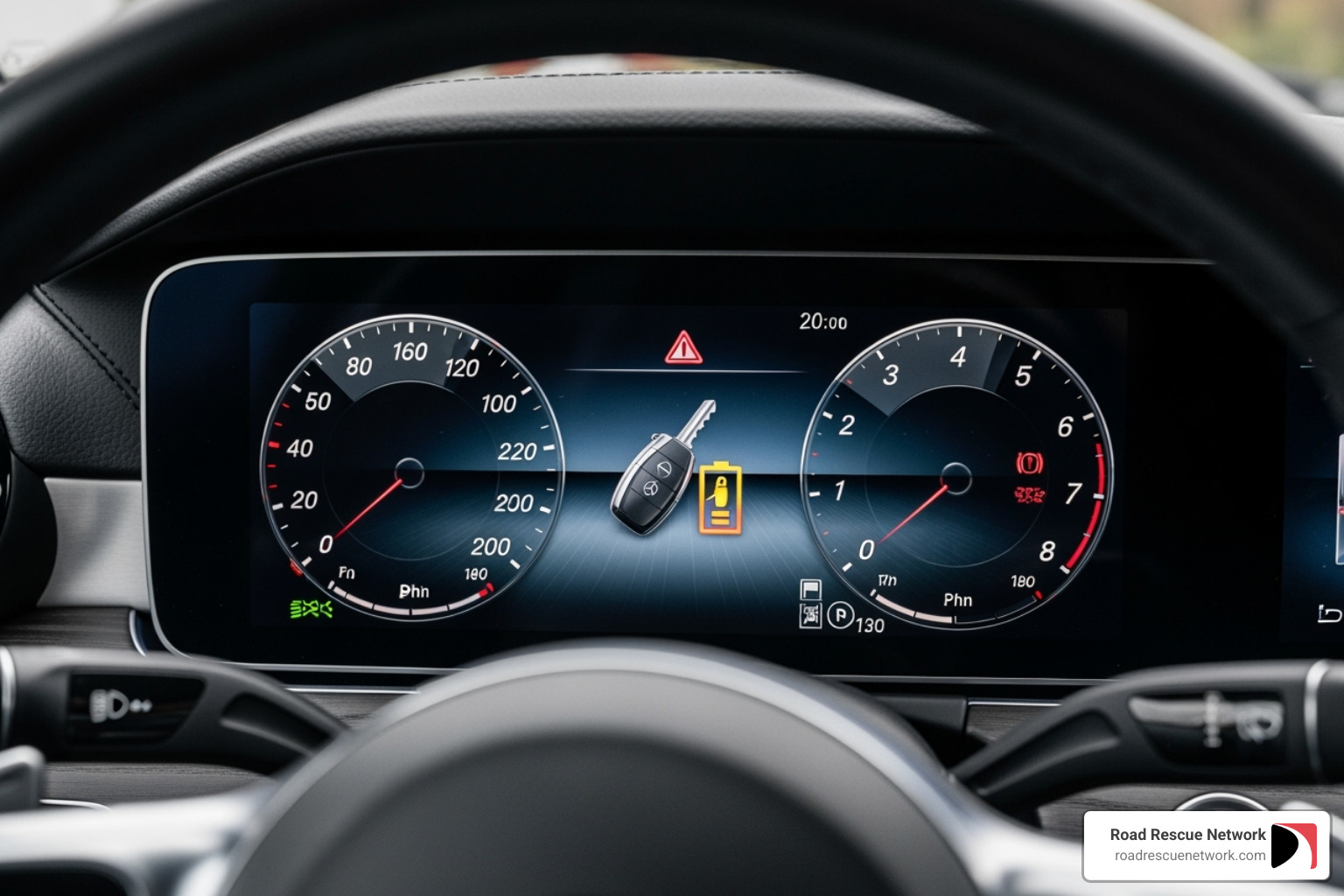
The most obvious warning is right on your dashboard. Your Mercedes will actually tell you when it’s time for a new battery. You’ll see a message like “Replace Key Battery” or “Key Battery Low” on your instrument cluster. When you see this, don’t put it off. Your car is giving you a heads-up before things get worse.
But even before that warning appears, you’ll probably notice your key fob acting a little funny. The signal range starts shrinking first. Remember when you could open up your car from halfway across the parking lot? Now you might need to be standing right next to the door. That’s your battery losing its strength.
Then comes the button mashing. Instead of one clean press to lock or open up, you find yourself pressing the button two, three, or even four times before your Mercedes finally responds. It’s not your imagination—your key fob is struggling to send a strong enough signal.
If you have a push-button start, a dying battery can make starting your car feel like a guessing game. You might need to hold the key fob right up against the start button, or the car might take several tries before it recognizes the key and fires up. This is especially frustrating when you’re in a hurry or dealing with bad weather.
Don’t forget about your panic alarm either. If the panic button stops working, that’s a safety concern, not just an inconvenience. You want that feature working when you actually need it.
The consequences of ignoring these warning signs? Getting stranded. We’ve seen it countless times at Road Rescue Network—someone stuck in an unfamiliar area, unable to get into their car, or worse, unable to start it when they really need to go. A dead key fob battery can turn a simple trip to the grocery store into a frustrating ordeal that could have been avoided with a five-minute fix.
Identifying Your Key Fob and the Right Battery
Before you start the battery replacement, you need to know which Mercedes-Benz key fob you’re holding. Over the years, Mercedes has updated its key designs, and the way you change battery in mercedes key can vary depending on which generation you have. The good news? It’s easier to figure out than you might think.
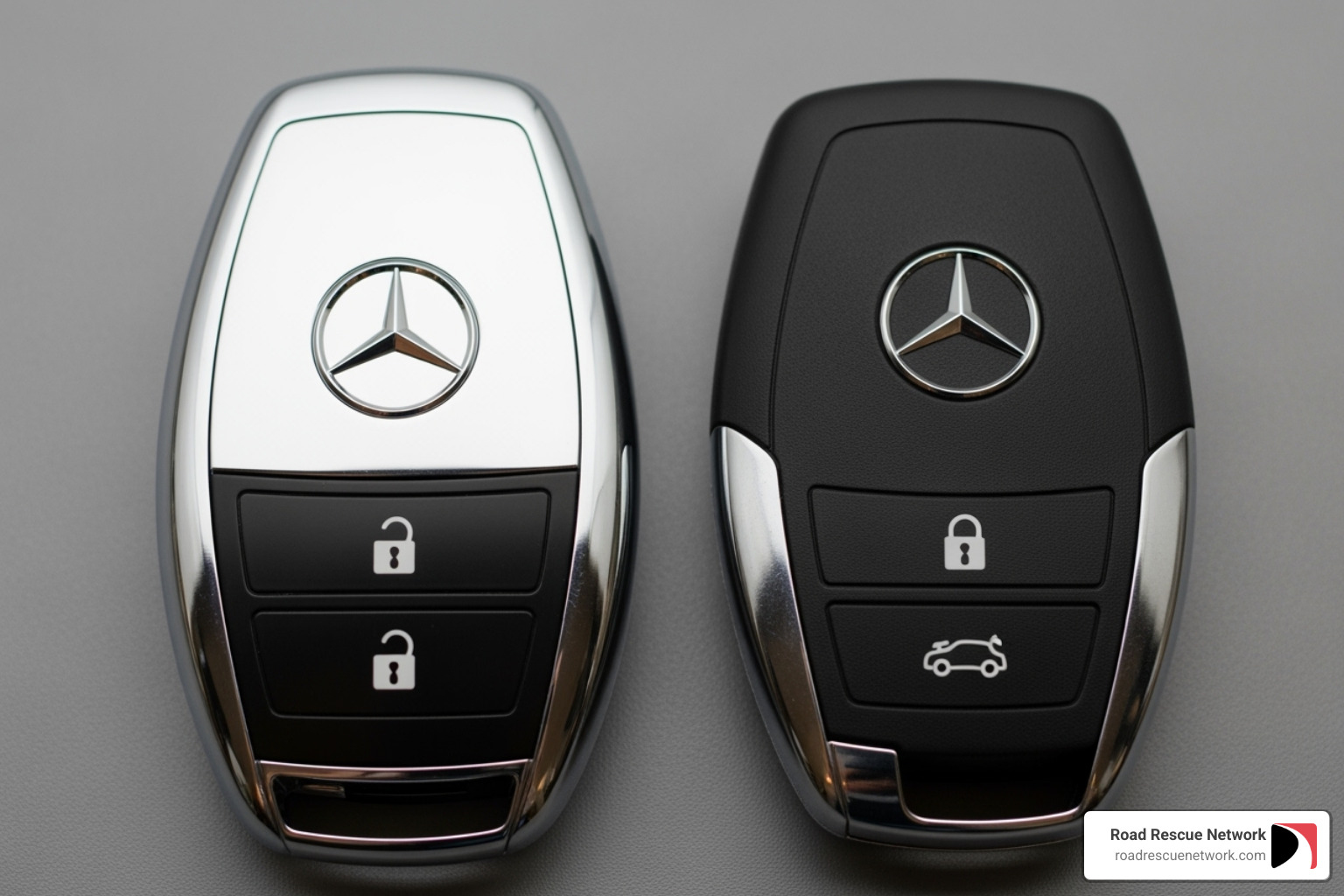
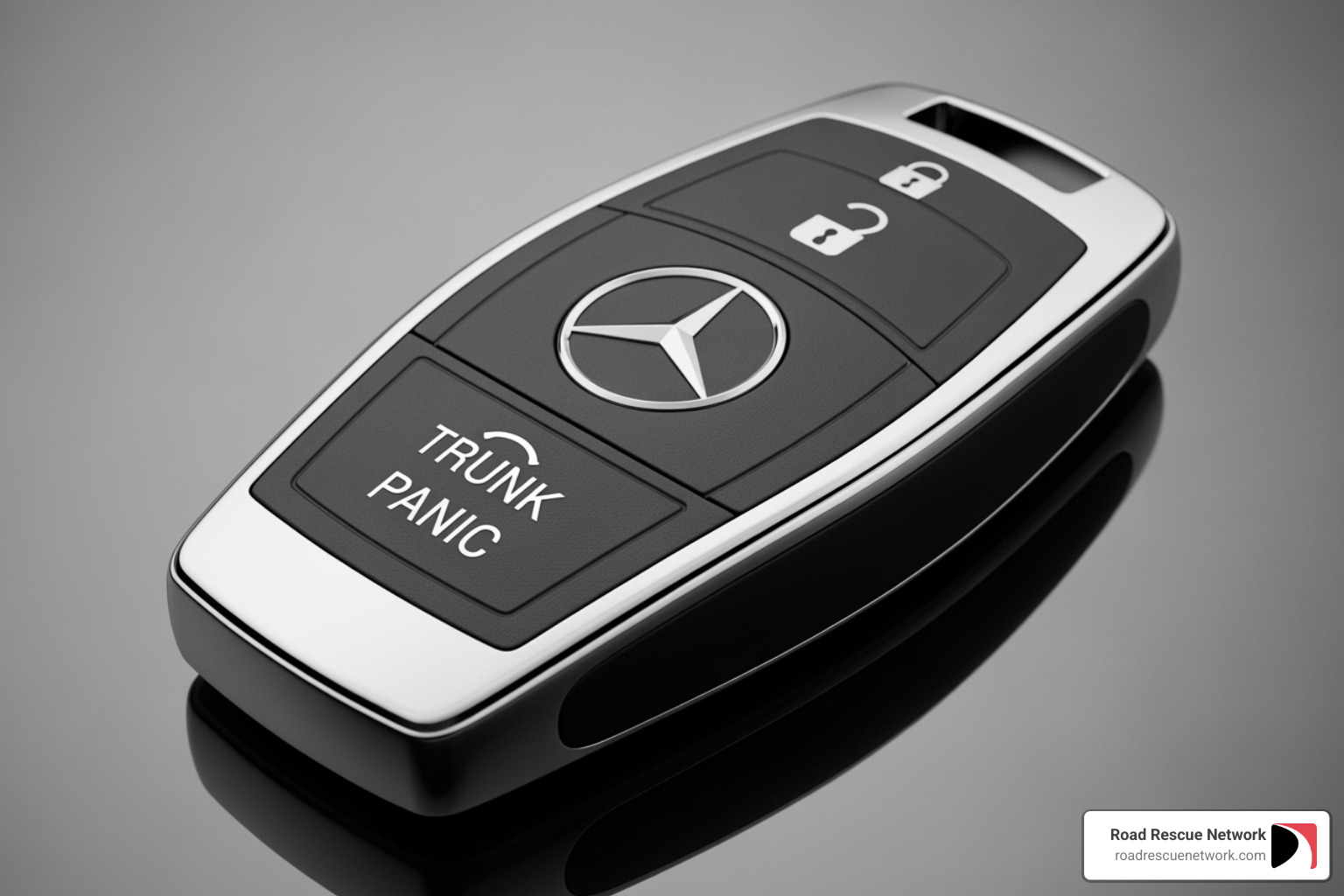
Most Mercedes owners have one of two key fob types. The newer Chrome SmartKey® has a sleek, modern look with metallic accents that give it a premium feel. You’ll often see a triangular or circular panic button on these. They’re typically found in more recent models and have that streamlined appearance that matches the sophistication of your Mercedes.
The older SmartKey® is a bit bulkier and has more of a traditional plastic design. Don’t let the word “older” fool you—these are still very common and work perfectly well. They’ve been around for years and are found in countless Mercedes vehicles still on the road today.
Here’s the really good news: almost all Mercedes key fobs use the same battery type—the CR 2025 three-volt battery. This is a standard coin-shaped lithium battery that’s easy to find and costs just a few dollars. The main difference between the key types isn’t the battery itself, but how many you need. The newer Chrome SmartKey® uses just one CR 2025 battery, while the older SmartKey® requires two.
| Key Fob Type | Appearance | Battery Type | Number of Batteries Required |
|---|---|---|---|
| Newer Chrome SmartKey® | Sleek, chrome accents, often triangular/circular panic button | CR 2025 | One |
| Older SmartKey® | Bulkier, more traditional plastic design | CR 2025 | Two |
| Class 3 Remote (various) | Can vary, often older models | CR 2025 | One or Two (check manual) |
If you’re unsure which type you have, take a close look at your key. The Chrome SmartKey® will have that noticeable metallic finish, while the older version has more of an all-plastic body. Some Class 3 remotes might look a bit different, so if you’re still not sure, a quick peek at your owner’s manual will tell you exactly what you need.
Where to purchase a replacement battery for my Mercedes-Benz key fob?
Finding a CR 2025 battery is the easiest part of this whole process. These batteries are so common that you can pick them up almost anywhere. Auto parts stores like AutoZone, O’Reilly Auto Parts, or Advance Auto Parts always have them in stock. Most grocery stores and pharmacies carry them in the electronics or checkout aisle. You’ll also find them at general merchandise stores like Walmart or Target.
Online retailers like Amazon are great if you want to buy a multi-pack and have spares on hand for next time. You can usually get several batteries for less than the cost of one at a physical store, and they’ll be delivered right to your door.
Yes, you can also get them at your Mercedes-Benz dealership’s parts center. You might pay a bit more there, but if you’re already at the dealership for service or picking up other parts, it’s convenient. The batteries work the same whether you buy them from a dealership or a drug store—a CR 2025 is a CR 2025.
Here’s a pro tip from someone who’s seen too many drivers stuck with dead key fobs: buy a couple extra batteries and keep one somewhere safe at home. They have a long shelf life, and having a spare means you’ll never be caught off guard. It’s a small investment that can save you from a frustrating situation down the road—or in a parking lot at night when you really don’t want to deal with a dead key fob.
How to Change Battery in Mercedes Key: A Step-by-Step Guide
You’ve got your key fob identified, your shiny new CR 2025 batteries are sitting on the table, and you’re ready to do this. The good news? This is genuinely one of the easiest car maintenance tasks you’ll ever tackle. The process is surprisingly straightforward, but knowing a few simple precautions will make it even smoother.
Are there any special tools or precautions needed when changing the battery?
Here’s the best part: you won’t need any special tools. Everything you need is already built right into your key fob. The mechanical key blade that’s tucked inside your fob is actually the perfect tool for the job. Mercedes designed it that way on purpose.
Before we dive in, let me share a few simple precautions that’ll help you avoid any hiccups. First, handle your key fob with care. While these things are built tough, they do contain delicate electronics inside. Avoid using excessive force when opening them—gentle, steady pressure is all you need.
Use the mechanical key as your prying tool, not a screwdriver or other metal object. The mechanical key is specifically designed to fit perfectly into the slots and minimize any risk of scratching or damaging the plastic casing. Trust me, I’ve seen too many scratched-up key fobs from well-meaning folks who grabbed the nearest flathead screwdriver.
When you’ve got the key fob open, try to handle the electronics carefully. Avoid touching the circuit board or other internal components directly with your fingers if you can help it. Static electricity or oils from your skin could potentially cause issues down the road.
Here’s a crucial tip that catches a lot of people off guard: do not wipe off any grease you might see on the terminals. If there’s a thin layer of grease on the battery terminals or the back of the circuit board, leave it alone! This is usually dielectric grease, and it’s there for a reason—to protect against corrosion and ensure good electrical contact. Wiping it off can actually cause problems later.
Now let’s get to the actual battery replacement. The process differs slightly depending on which type of key fob you have, so I’ll walk you through both versions.
How to change the battery in a Mercedes key: Newer Chrome SmartKey®
The sleek Chrome SmartKey® is what you’ll find in most newer Mercedes-Benz models. If you’ve got one of these modern fobs, you’re in for a particularly easy time.
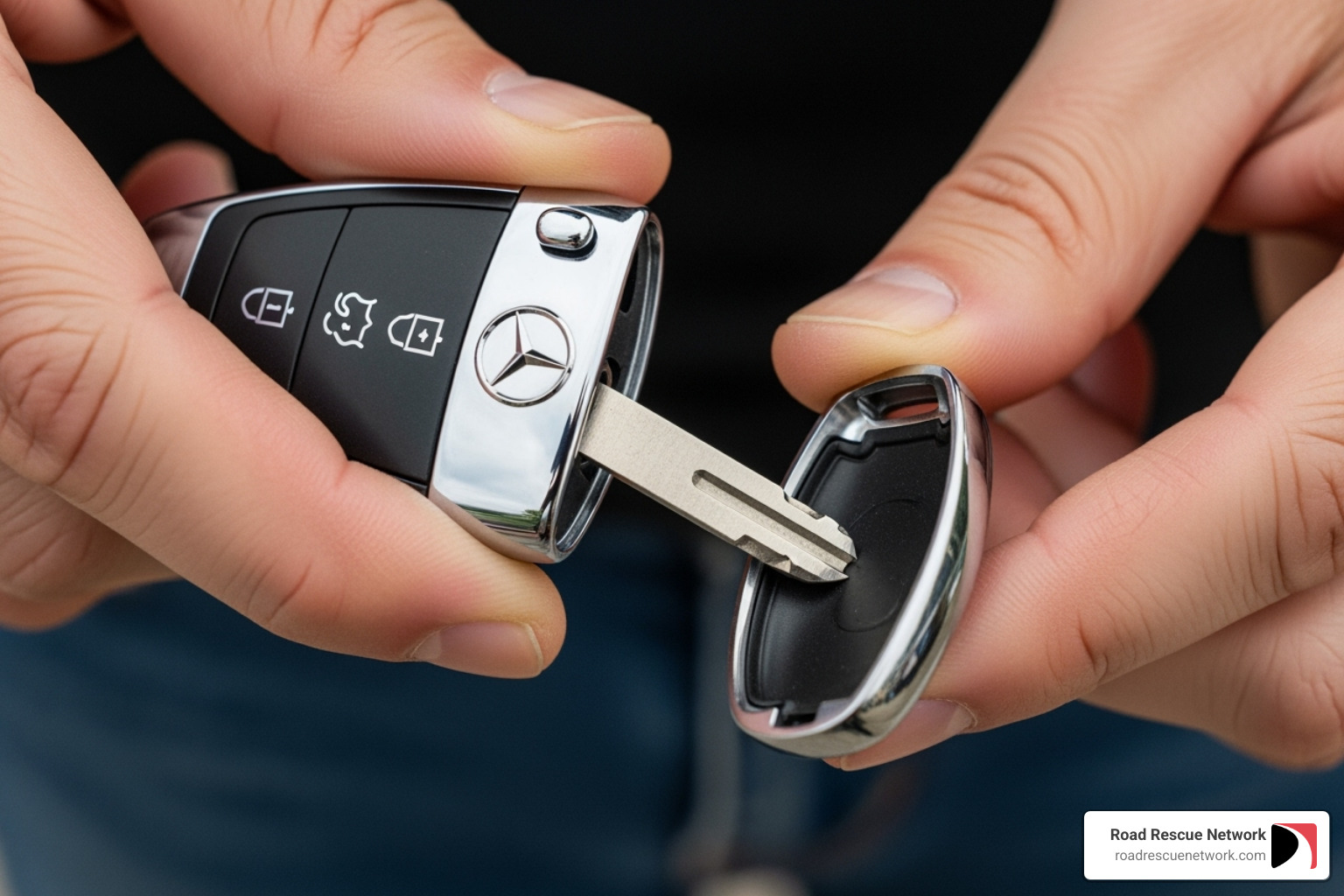
Start by releasing the mechanical key. Look at the bottom edge of your key fob and you’ll spot a small tab or button. Push or slide this tab firmly, and the metallic mechanical key blade will pop right out. Pull it all the way free and set it aside for a moment.
With the mechanical key removed, you’ll see a narrow slot or indentation where the key used to sit. This is your entry point. Insert the thin end of the mechanical key blade into this slot, then gently twist or pry. You should hear a satisfying little click as the back cover loosens. Continue to gently work your way around the seam until the cover comes off completely.
Inside, you’ll find a single CR 2025 battery sitting in its compartment. It’s usually held in place by a small clip or simply rests in a snug-fitting space. You can often tap the key fob gently against your palm to pop the old battery out, or use your fingernail or a plastic tool to lift it free.
Now for the new battery. Take your fresh CR 2025 and make sure you’ve got it oriented correctly. The positive (+) side should face upward—that’s the side with the battery size and brand etched on it. Gently press it into place until it sits securely in the compartment.
Time to put everything back together. Align the back cover with the key fob body and press it back into place. You’ll feel it click securely all around the edges when it’s properly seated. Finally, slide the mechanical key blade back into its slot until it locks.
That’s it! Your Chrome SmartKey® is now powered up and ready to get you back on the road. The whole process should take you less than five minutes.
How to change the battery in a Mercedes key: Older SmartKey®
If you’ve got the older, bulkier SmartKey® model, the battery access works a bit differently, but it’s just as straightforward once you know the trick.
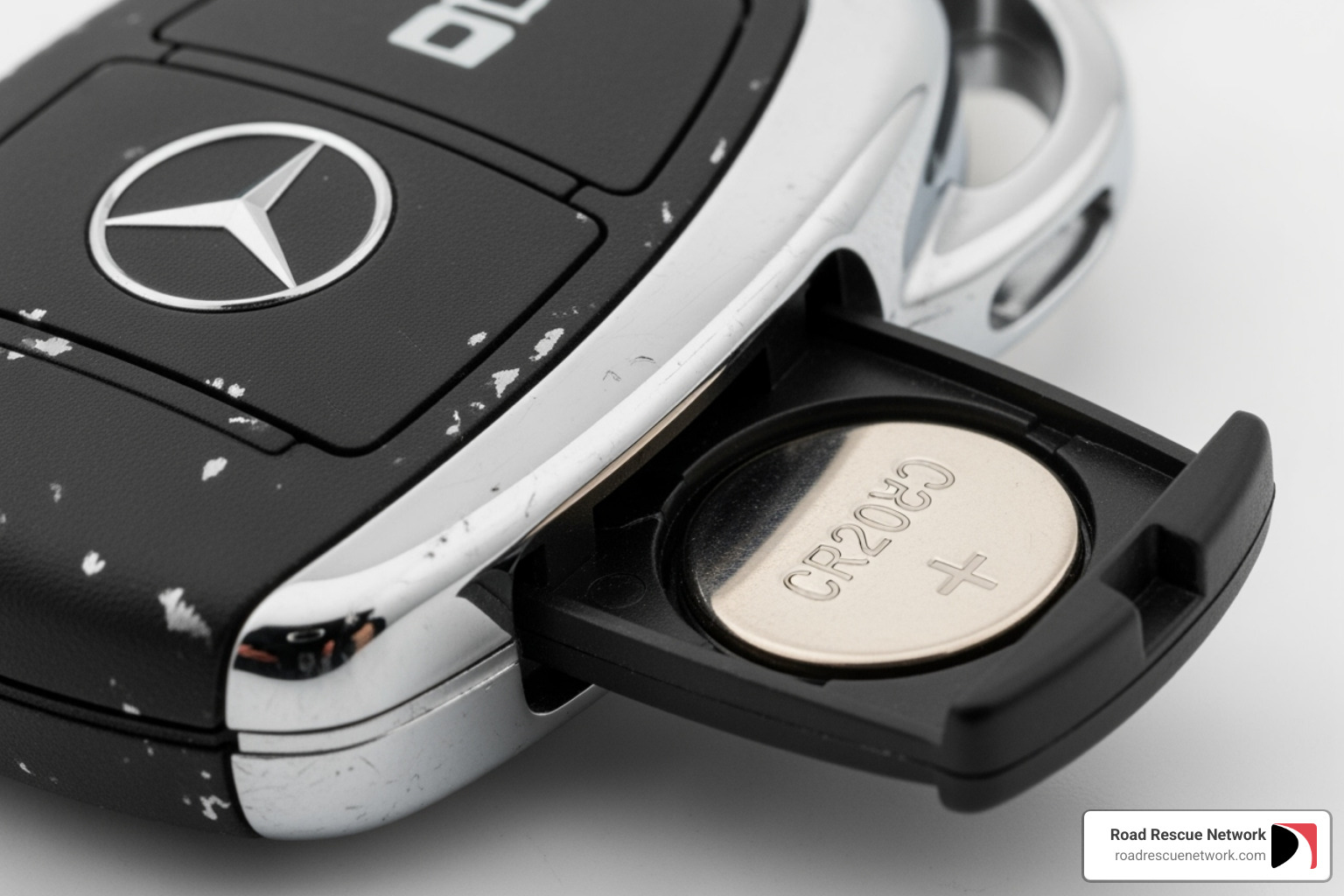
Hold your SmartKey® by the keychain end and find the sliding tab on the side of the fob. Push this tab firmly while simultaneously pulling out the mechanical key blade from the top. Once you’ve got the key blade out, don’t put it down—you’ll need it in just a second.
Look inside the opening where the mechanical key was sitting. You’ll see a small internal tab or lever in there. This is the release mechanism for the battery tray. Take the mechanical key and push it horizontally into this opening, applying gentle pressure on that internal tab. This releases the battery tray mechanism.
As you push the internal tab, the battery tray will slide out from the back of the key fob. Gently pull it all the way out, and you’ll see your two CR 2025 batteries sitting there, either stacked or side-by-side.
Carefully remove both old batteries from their compartments. Now here’s where you need to pay attention: when you insert the two new CR 2025 batteries, you must get the orientation right. Look for the “+” symbols or other markings inside the tray that show you which way each battery should face. Both batteries need to have their positive (+) sides facing the correct direction, or your key fob won’t work. Take a moment to double-check before you proceed.
Once both new batteries are properly seated in the tray, slide it gently back into the key fob until you hear or feel it click into place. Then reinsert the mechanical key blade into its slot until it locks securely.
And you’re done! Your older SmartKey® now has fresh power and should work perfectly. When you’re ready to test it, head outside and give those buttons a try. You should notice an immediate improvement in responsiveness and range.
Whether you’ve got the newer Chrome SmartKey® or the older model, changing the battery in your Mercedes key is one of those satisfying little DIY wins that saves you time and money. No dealership visit required, no service appointment to schedule—just a few minutes of your time and a couple of dollars for batteries.
Troubleshooting and When to Call for Help
You’ve carefully swapped out the battery, snapped everything back together, and you’re feeling pretty good about your handiwork. But then you press the button and… crickets. The car just sits there, stubbornly locked. Before you start questioning your mechanical abilities, take a breath. This happens more often than you’d think, and there are usually some simple explanations.
What should I do if my key fob still doesn’t work after replacing the battery?
First things first: check the battery orientation. I know, I know—it seems almost too simple to mention. But this is hands-down the most common reason a “new” battery doesn’t work. Those little CR 2025 batteries need to go in with the positive (+) side facing the right direction. Take another look at the markings inside your key fob and make sure you’ve got it right. Even folks who’ve done this a dozen times can slip up when they’re in a hurry.
Next, verify you’re using the correct battery type. Did you grab CR 2025 batteries? Are you sure they’re not CR 2032 or some other similar-looking size? And did you use the right number—one battery for the newer Chrome SmartKey®, two for the older model? Using the wrong size or forgetting that second battery will leave you right back where you started.
If you’ve double-checked everything and you’re confident the battery is correct and properly installed, try your spare key fob. This simple test tells you a lot. If your spare key works perfectly, the problem is likely with that specific key fob—maybe something got damaged when you opened it, or perhaps there’s an internal issue beyond just the battery. If neither key works, though, you might be dealing with a problem in your car’s receiver system rather than the fobs themselves.
Here’s some genuinely good news: reprogramming is almost never needed after a battery change. Your Mercedes-Benz key fob is smart enough to remember its programming even when the battery is completely removed. You won’t need to visit a dealership to “reset” or “reprogram” anything. If someone tells you otherwise, they’re likely misinformed or trying to sell you a service you don’t need.
One more thing to consider: physical damage versus a dead battery. If your key fob took a swim in a puddle, got dropped on concrete, or went through the washing machine (hey, it happens), the issue might be more serious than a simple battery swap can fix. Water damage or broken internal components won’t magically heal with a fresh battery.
When to Call for Professional Assistance
Look, we’re all about saving you money and empowering you to handle simple maintenance yourself. That’s why we walked you through this whole process. DIY is absolutely the most cost-effective approach for something as straightforward as changing a key fob battery.
But sometimes, despite your best efforts, things just don’t work out. If you’ve tried all the troubleshooting steps above and your key fob is still acting up, it might be time to bring in someone with more specialized tools and training. Mercedes-Benz service centers like Mercedes-Benz of Hampton or Mercedes-Benz Burlington can diagnose more complex issues with your key recognition system or help you get a genuine replacement key fob if yours is beyond saving.
And here’s where we come in: if your key fob situation has left you locked out of your car or unable to start it, Road Rescue Network provides fast, on-demand assistance without requiring a membership. We’re talking about real lockout situations or those frustrating moments when your car simply won’t recognize your key fob at all. We instantly connect you with local rescuers who can help you get back on the road, 24/7, with no hidden fees or membership requirements. It’s the kind of backup plan that turns a potential disaster into just a minor bump in your day.
How often should I expect to replace my Mercedes-Benz key fob battery?
Let’s talk about staying ahead of the problem. Most Mercedes key fob batteries last somewhere between one and two years under normal use. That’s your typical lifespan for a CR 2025 battery in these fobs.
But “normal use” can vary quite a bit. If your Mercedes has Keyless-Go—that convenient feature where you don’t even need to press a button to open up or start your car—your battery might drain faster than average. The key fob is constantly “listening” for your car and communicating with it when you’re nearby. All that wireless chatter uses extra power.
We recommend a proactive replacement schedule rather than waiting for warning signs. Consider swapping out your key fob battery every year or at least every other year, even if it seems to be working fine. Think of it like changing your smoke detector batteries—you don’t wait for them to die before replacing them. Many people find it helpful to change battery in mercedes key when they’re already doing other routine maintenance, like oil changes or seasonal service appointments. It’s one less thing to worry about, and at just a few dollars per battery, it’s cheap insurance against getting stranded.
A little planning goes a long way toward keeping your Mercedes experience as smooth and hassle-free as it should be.
Conclusion
And there you have it—everything you need to confidently change battery in mercedes key and keep your Mercedes-Benz running smoothly. What seemed like a potential dealership visit turns out to be a simple five-minute task you can do right in your driveway.
We started by recognizing those warning signs that your battery is on its last legs: the reduced signal range, multiple button presses, that persistent dashboard message, or the frustrating struggle to start your car. Then we walked through identifying whether you have the newer Chrome SmartKey® (needing one CR 2025 battery) or the older SmartKey® (requiring two), and where to pick up these inexpensive batteries at your local auto parts store or online retailer.
The actual replacement process? It couldn’t be simpler. Release the mechanical key, use it to pop open the battery compartment, swap out the old battery for the new one (positive side up!), and snap everything back together. No special tools, no dealership appointment, no hefty service fees. Just a few minutes of your time and a couple of dollars for the battery.
The real takeaway here is the importance of proactive maintenance. Replacing your key fob battery every year or two—especially if you love the convenience of Keyless-Go—is one of those small tasks that prevents major headaches. A dead key fob battery might seem minor until you’re standing in a parking lot, unable to get into your car, or worse, unable to start it when you’re already running late.
Of course, even with the best preventive maintenance, things don’t always go according to plan. Maybe you’ve tried everything and the key fob still won’t cooperate. Maybe you’ve been putting off that battery change and now you’re actually locked out. That’s exactly when Road Rescue Network steps in. We provide fast, on-demand assistance without a membership, instantly connecting you with local rescuers who can help with lockout situations or when your car won’t start due to a dead key fob battery. No hidden fees, no waiting around—just quick, reliable help when you need it most.
And if you find yourself dealing with other car emergencies like a dead car battery or flat tire, we’ve got you covered there too. Learn how Road Rescue Network can help you get a jumpstart in Livia, KY or anywhere else you might be stranded. We’re here 24/7 to get you back on the road, no matter the rescue.
Stay proactive with your Mercedes maintenance, keep a spare battery handy, and remember—we’re just a tap away if you ever need us.