How to Change Your Nissan Key Fob Battery
Why a Working Key Fob Matters for Nissan Drivers
Change battery in nissan key fob is one of the simplest car maintenance tasks you can do yourself, and it takes less than five minutes.
Quick Answer: How to Change Your Nissan Key Fob Battery
- Remove the mechanical key – Press the release latch on the back of the fob and pull out the hidden key
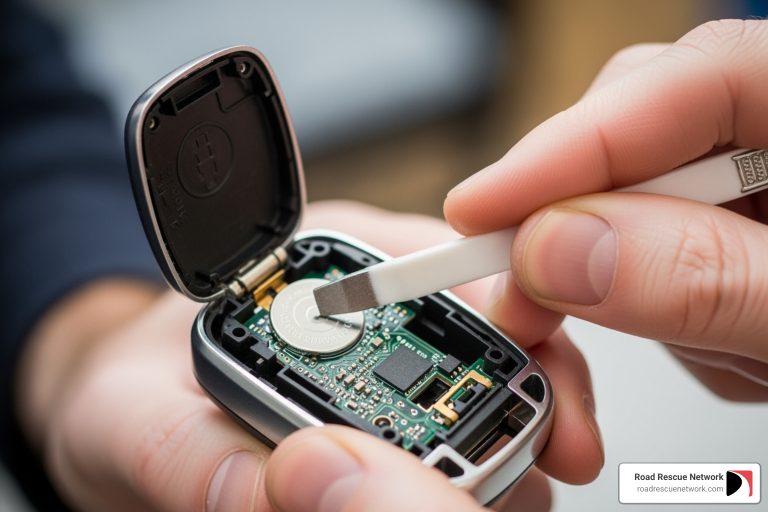
- Open the fob – Use a small flathead screwdriver to gently pry apart the two halves
- Replace the battery – Remove the old CR2032 or CR2025 battery and insert a new one (positive side up)
- Snap it back together – Press the two halves until they click
- Test it – Press the lock button to confirm it works
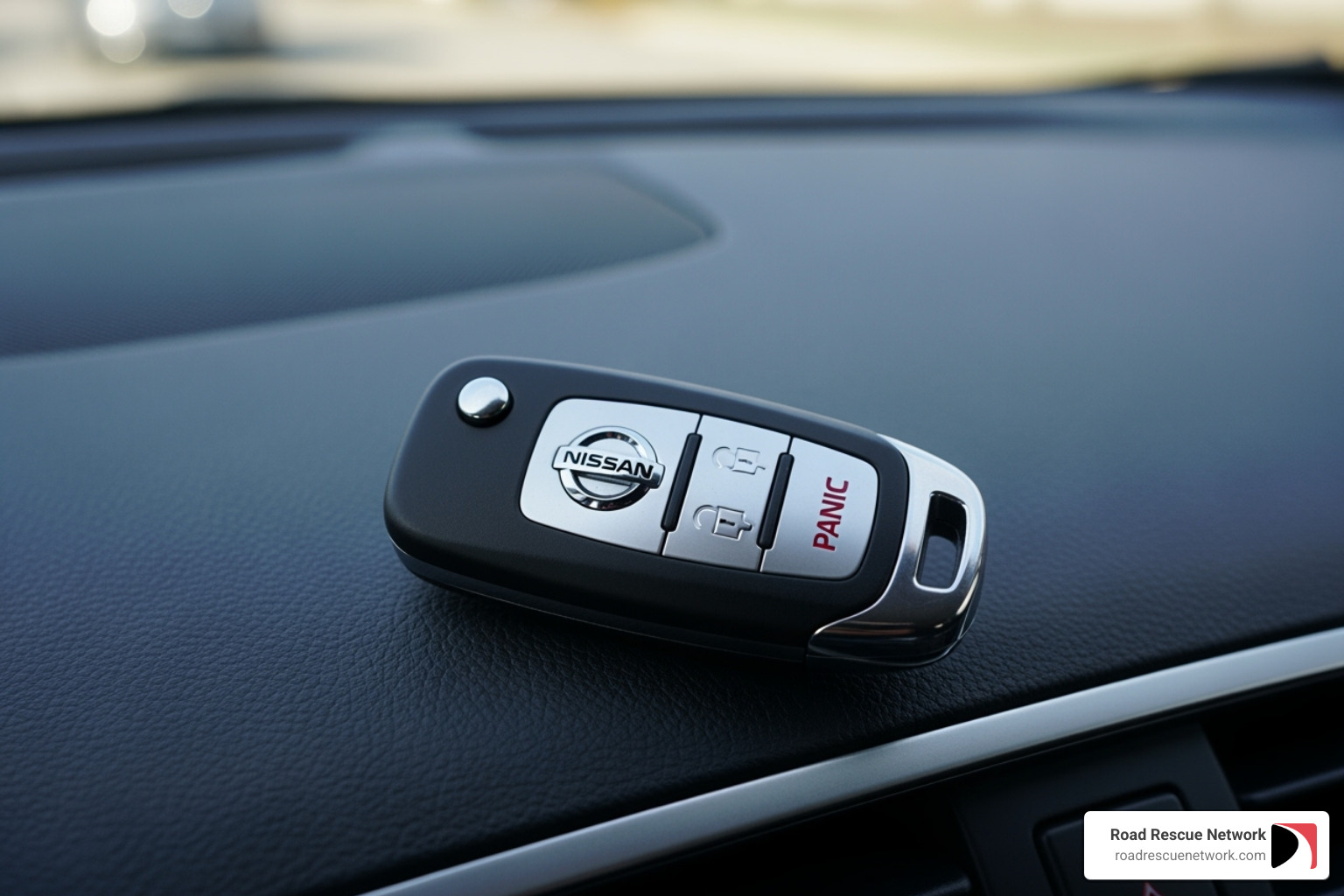
You’ve enjoyed the convenience of your Nissan Intelligent Key—until suddenly, you’re pressing the open up button multiple times and nothing happens. Maybe you’ve seen a “Key Battery Low” warning on your dashboard. The good news? You don’t need to visit a dealership or pay someone to fix this.
Most Nissan key fobs use a standard CR2032 battery (or CR2025 for some models) that costs a few dollars at any hardware store or pharmacy. The entire process requires just one small screwdriver and about five minutes of your time. You can save $50-100 in dealership fees by doing it yourself.
I’m Byron Tarlton, founder of Road Rescue Network, and over two decades of working in roadside assistance and fleet services, I’ve helped countless drivers with dead key fobs and other common car problems. While I’ll show you how to change battery in nissan key fob yourself, our team is always ready to help when you face bigger roadside emergencies.

Signs It’s Time for a Battery Change & What You’ll Need
You’re rushing out the door, arms full of groceries, and you press the open up button on your Nissan key fob. Nothing. You press it again. Still nothing. By the third or fourth press, you’re starting to wonder if your car is playing games with you.
Sound familiar? That frustrating moment when your key fob stops cooperating is usually your first clue that the battery is dying. The good news is that catching these warning signs early means you can change battery in nissan key fob before you’re completely locked out.
Your Nissan is actually pretty good about giving you hints when the key fob battery is getting weak. The most obvious sign is reduced signal range—suddenly you need to be right next to your car for the fob to work, when it used to respond from across the parking lot. You might find yourself pressing the lock or open up button multiple times before anything happens, or the buttons work sometimes but not others.
Some newer Nissan models make it even easier by displaying a “Key Battery Low” warning right on your dashboard. Think of it as your car’s polite way of saying, “Hey, can we take care of this soon?” Occasionally, you might see a “Key ID Incorrect” message pop up—while this can point to other issues, a dying battery often triggers it because your car is struggling to communicate with the fob.
If you have a push-button start, you might notice difficulty starting the engine, or your Nissan might ask you to hold the fob closer to the start button. This is your cue to act before the battery dies completely and leaves you stuck in a parking lot.
The moment you notice any of these signs, it’s worth taking five minutes to swap in a fresh battery. Trust me, it’s much easier to do this in your driveway than in a grocery store parking lot with melting ice cream in your trunk.
What Type of Battery Does My Nissan Key Fob Need?
Here’s the thing about Nissan key fob batteries: they’re not all the same. Most use a small, round coin-cell lithium battery—either a CR2032 or CR2025—but which one you need depends on your specific model and year.
The easiest way to find out? Check your owner’s manual. Flip to the section about keys or the Intelligent Key system, and it’ll tell you exactly which battery to buy. If you can’t find your manual in the glove box, Nissan’s website has digital versions you can download.
Don’t have time to hunt down the manual? No problem. Just open your key fob and look at the old battery. The battery type is printed right on it—usually something like “CR2032” or “CR2025.” This method is foolproof because you’re literally looking at what you need to replace.
For most newer Nissan Intelligent Keys, the CR2032 is standard. Some older models or different key fob designs use the CR2025 instead. These batteries look nearly identical, but the CR2032 is slightly thicker. Using the wrong one might mean it won’t fit properly or won’t make good contact, so it’s worth double-checking before you head to the store.
What Tools Will I Need?
Here’s the best part about this repair: you probably already have everything you need sitting in a kitchen drawer. This isn’t one of those projects that requires a trip to the auto parts store for specialty tools.
You’ll need a new replacement battery—either a CR2032 or CR2025, depending on what your manual or old battery tells you. These cost just a few dollars at any pharmacy, hardware store, or big-box retailer. Pick up a couple while you’re at it; they last a few years, and it’s nice to have a spare for next time.
The only tool you really need is a small flathead screwdriver. That’s it. You’ll use it to gently pry open the key fob casing. If you have a plastic pry tool (the kind used for opening electronics), that’s even better because it’s less likely to scratch the plastic, but it’s totally optional.
One more thing that helps: grab a soft cloth from your cleaning supplies. Wrapping it around the screwdriver tip or laying it on your work surface helps protect your key fob from accidental scratches. Nobody wants to fix their key fob only to end up with a dinged-up case.

How to Change the Battery in Your Nissan Key Fob: A Step-by-Step Guide
Replacing the battery in your Nissan Intelligent Key is one of the easiest DIY maintenance tasks you’ll ever tackle. You don’t need mechanical skills or special training—just a few minutes and the willingness to follow some simple steps.
This straightforward process will save you a trip to the dealership, where they might charge you $50 or more for something that costs you less than $5 in parts. Let’s walk through it together.
Step 1: Remove the Mechanical Emergency Key
Every Nissan Intelligent Key has a secret: there’s a traditional metal key hidden inside. This emergency key isn’t just for backup access when your battery dies—it’s also your first step in opening the fob itself.
Flip your key fob over and look for a small release latch or slider button on the back or side. When you find it, press down on that latch while pulling firmly on the bottom portion of the fob. The mechanical key should slide right out with minimal effort.
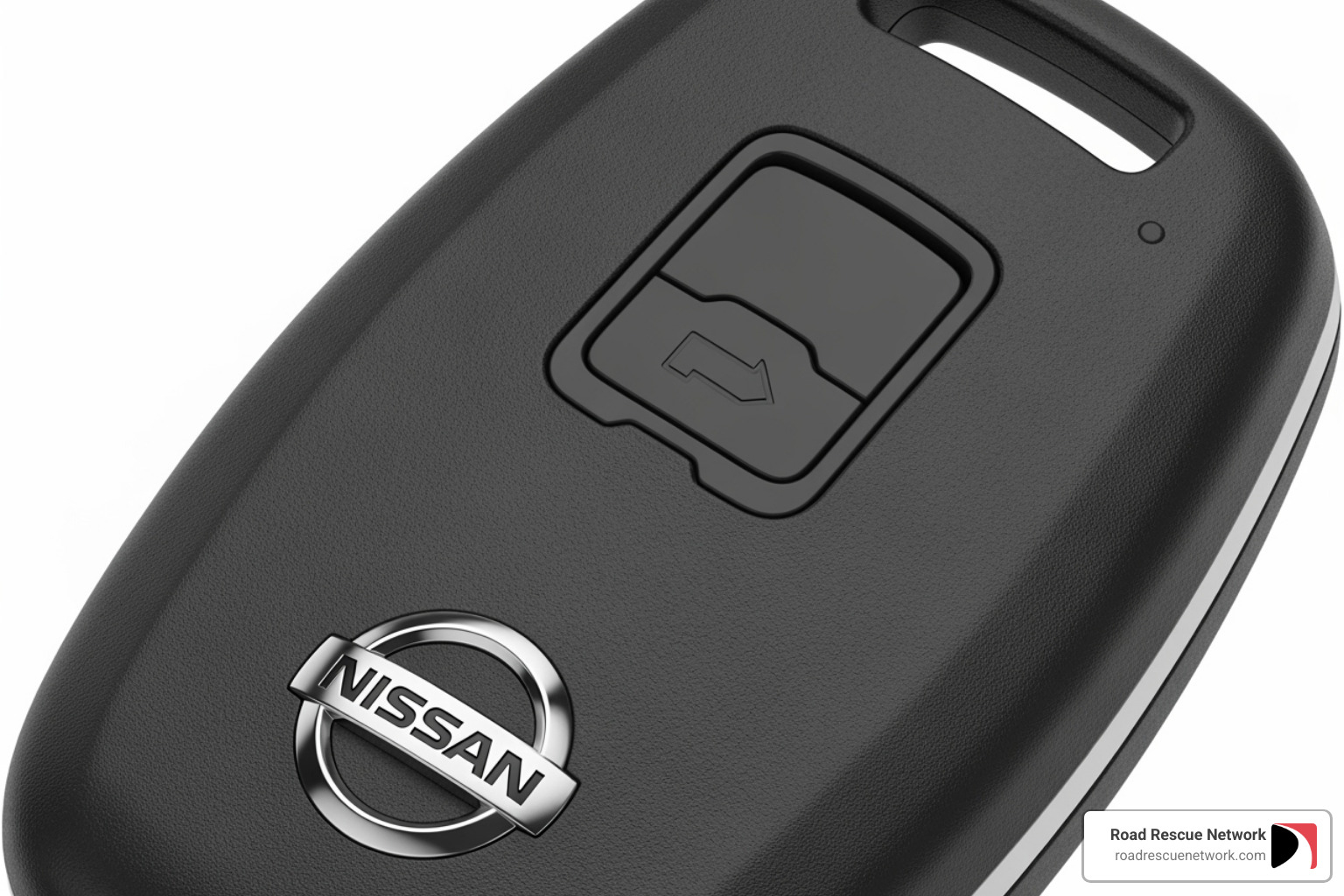
Set this key aside somewhere safe—you’ll need it again in a few minutes, and it’s also your lifeline if your fob ever dies completely while you’re away from home.
Step 2: Open the Key Fob Casing
With the emergency key removed, you can now access the battery compartment. Look closely at the edges of your key fob casing. You’ll notice a seam where the two halves meet, and near where you removed the mechanical key, there’s usually a small slot or indentation.
This is where your small flathead screwdriver comes into play. If you want to be extra careful about scratches, wrap the tip of your screwdriver with a soft cloth first. Insert the tip into that slot or seam, then gently twist. You’re not trying to force anything—just apply steady, gentle pressure until you hear a soft click.
The two halves should start to separate. If you need to, work your way around the seam, but don’t get aggressive with it. The plastic tabs holding the fob together are sturdy but not indestructible. Patience wins here.
Step 3: Replace the Old Battery
Now comes the heart of the operation. With your key fob open, you’ll see the old battery sitting in its compartment. Before you touch anything, take a moment to observe exactly how the battery is positioned. Is the positive (+) side facing up or down? This detail matters tremendously.
Use your screwdriver to gently pry the old battery out. It might be held by small clips, so work carefully. Once it’s out, grab your new CR2032 or CR2025 battery. Here’s a pro tip: handle the new battery by its edges rather than pressing your fingers on the flat surfaces. This keeps oils from your skin off the battery contacts and helps maintain its full charge capacity.
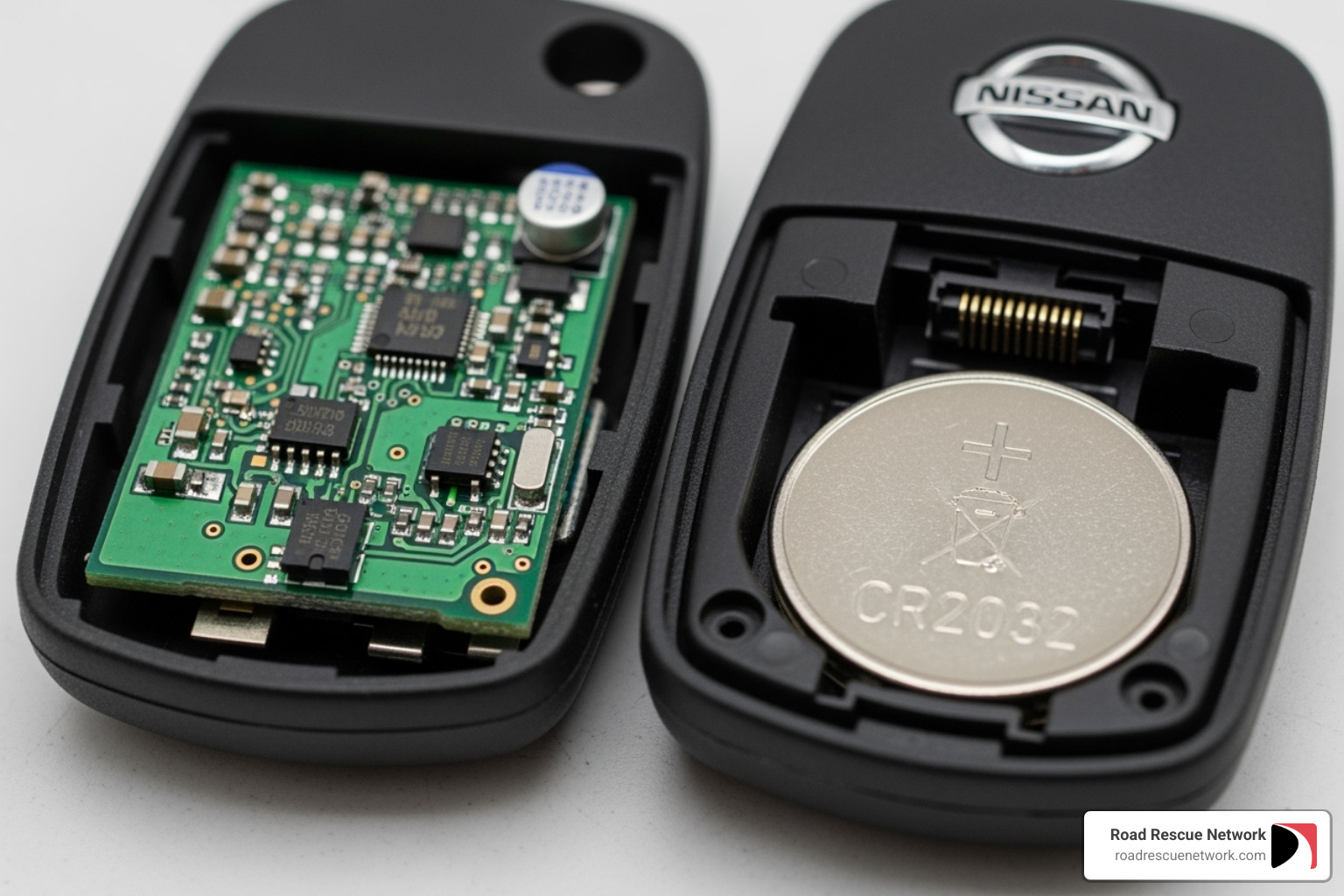
Insert the new battery in the exact same orientation as the old one. Most Nissan key fobs require the positive (+) side facing up, though some models like the 2024 ARIYA need it facing down. When in doubt, trust what you observed before removing the old battery. Press down gently until you feel or hear it click into place.
One more thing: if you notice any grease on the battery terminals or circuit board, leave it alone. That grease serves a purpose for the fob’s internal electronics.
Step 4: Reassemble and Test Your Key Fob
You’re in the home stretch now. Line up the two halves of your key fob casing and press them together firmly. You should hear a satisfying click when they snap securely into place. Make sure there aren’t any gaps along the seam—everything should sit flush.
Slide the mechanical emergency key back into its slot until it locks. Give it a gentle tug to confirm it’s secure.
Now for the fun part: testing your work. Walk within range of your Nissan and test each button—the lock button, the open up button, the trunk release, and even the panic alarm if you’re feeling brave (just be ready to silence it quickly). If your Nissan has push-button start, go ahead and start the engine to confirm the vehicle recognizes your newly refreshed key fob.
If everything responds like it should, you’ve just successfully completed a change battery in nissan key fob procedure. Give yourself a pat on the back—you just saved yourself time, money, and a trip to the dealership. That’s a win in my book.
What to Do When Your Key Fob is Already Dead
We’ve all had that moment of panic—you’re standing in a parking lot, pressing the open up button, and absolutely nothing happens. Your Nissan key fob is completely dead, and you need to get home. Take a deep breath. You’re not stranded, and you won’t need to call for emergency help just yet.
Nissan engineers built backup systems into your vehicle specifically for this situation. Even with a completely dead key fob battery, you can still get into your car and start the engine. Let me walk you through exactly how.
How to Get Into Your Nissan
Mechanical emergency key we removed earlier when we opened the key fob? This is its moment to shine.
Press the release latch on the back of your key fob and pull out that hidden mechanical key. This traditional metal key works just like the car keys from decades past—simple, reliable, and requiring zero battery power.
Now look at your driver’s side door. You’ll see a keyhole, though on some newer Nissan models, it might be covered by a small plastic cap that you’ll need to gently pry off with your fingernail or the key itself. Insert the mechanical key into the keyhole and turn it to manually open up your door.
That’s it. You’re inside your Nissan, even with a completely dead key fob.
How to Start Your Nissan’s Engine
Getting inside is one thing, but what about starting your car? If you have a push-button start and no traditional ignition slot, you might be wondering how your Nissan will even recognize your dead key fob. Here’s where Nissan’s clever RFID technology comes to the rescue.
Your key fob contains a chip that communicates with your vehicle, and that chip doesn’t need battery power to be detected at very close range. The trick is getting the fob close enough to the car’s sensor.
If your Nissan has a key fob port—usually located in the center console or tucked beneath the dashboard—simply insert your dead key fob into that port. Depress the brake pedal (or clutch pedal if you drive a manual transmission), then press the START/STOP button. Your car will read the chip through the port and fire up the engine.
If your Nissan doesn’t have a physical key fob port, the process is even simpler. Depress the brake pedal, then press your dead key fob directly against the START/STOP button itself. While holding the fob firmly against the button, press the button to start. The close proximity allows the car’s system to detect the embedded chip and start your engine.
Pretty ingenious, right? A dead key fob battery is inconvenient, but it won’t leave you truly stranded. That said, it’s still a good idea to change battery in nissan key fob as soon as possible so you can get back to enjoying the full convenience of your Intelligent Key system.
Troubleshooting and When to Seek Help
You’ve carefully replaced the battery in your Nissan key fob, snapped everything back together, and… it still doesn’t work. Frustrating, right? Before you assume the worst, there are several common issues that might be the culprit, and most of them are easy to fix.
My Key Fob Still Doesn’t Work After I Change the Battery in a Nissan Key Fob
The good news is that if you’ve just completed the change battery in nissan key fob process and it’s not working, you’re probably dealing with something simple. Let’s walk through the most common reasons your key fob might still be unresponsive.
First, double-check that battery orientation. I know we’ve mentioned this before, but it’s the number one reason for a “new battery” that doesn’t work. Pop that fob back open and make absolutely certain the positive (+) side is facing the correct direction. Sometimes we’re so confident we got it right that we don’t bother checking—but a quick second look can save you a lot of headache.
Next, take a look at those battery contacts. Over time, dirt, dust, or even a bit of corrosion can build up on the metal contacts inside your key fob. Grab a cotton swab with a tiny bit of rubbing alcohol on it, or use a clean, dry cloth, and gently wipe those contacts clean. Make sure everything is completely dry before you put the fob back together. This simple cleaning step can make all the difference.
Consider the quality of your replacement battery. Not all batteries are created equal, and sometimes a cheap or old battery just won’t provide enough power. If you grabbed a battery from the bottom of your junk drawer, or picked up the cheapest option at the store, try getting a fresh one from a reputable brand instead. Remember to handle the new battery by its edges to avoid depleting its charge.
Look for any visible damage inside the fob. When you had it open, did you notice any loose components, bent contacts, or signs of water damage? If your key fob took a swim in a puddle or got dropped one too many times, internal damage might be preventing it from working properly.
Could it need reprogramming? This is actually quite rare when you’re just replacing a battery. The programming information is stored in your vehicle’s computer, not in the battery, so a simple battery swap shouldn’t affect it. However, if your fob was completely dead for an extremely long time, or if there were other underlying issues, a re-sync might be necessary—though this is the exception, not the rule.
When to Get Professional Help
Sometimes, despite our best DIY efforts, we need to admit that it’s time to call in the experts. And that’s perfectly okay! Here’s when you should reach out for professional assistance.
If your key fob is physically damaged—maybe the casing is cracked, broken, or won’t snap back together properly—you’ll likely need a replacement. A damaged fob can’t be reliably repaired with just a battery change.
If you’ve lost your key fob entirely, you’ll definitely need professional help. Getting a new key fob programmed to your specific vehicle requires specialized equipment and expertise. Be prepared for this to cost anywhere from $50 to $400 for the replacement fob itself, plus an additional $50 to $100 for the programming service.
When your vehicle consistently fails to recognize your key fob after you’ve tried everything—new battery, correct orientation, clean contacts—it might need to be reprogrammed or re-synced to your car. This isn’t something you can typically do at home without special diagnostic tools.
If you’re simply uncomfortable doing the repair yourself, there’s no shame in that. Contact your Nissan dealership or a reputable automotive locksmith. They have the proper tools and training to diagnose and fix more complex key fob issues quickly. When DIY doesn’t work, professional help is worth the investment.
For other car troubles beyond your key fob—like finding yourself locked out, needing a jump start, or dealing with a flat tire—that’s where we come in. Road Rescue Network is ready to help you get back on the road, fast.
Frequently Asked Questions about Nissan Key Fobs
Over the years, we’ve heard just about every question you can imagine about Nissan key fobs. Whether you’re a first-time Nissan owner or a longtime driver, these questions probably sound familiar. Let’s tackle the most common ones with straightforward, helpful answers.
How often should I replace my Nissan key fob battery?
Here’s what we typically see: most Nissan key fob batteries last anywhere from three to five years before they need replacing. That’s a pretty good lifespan for such a small battery! But like most things in life, it’s not an exact science.
Your personal experience might be different depending on how you use your key fob. If you’re constantly locking and opening your car throughout the day—maybe you run a lot of errands or have multiple drivers in the household—your battery will naturally drain faster than someone who only uses their car occasionally. Extreme temperatures, whether you’re dealing with Phoenix summers or Chicago winters, can also take a toll on battery life. And of course, the quality of the battery itself matters. A reputable brand will generally outlast a bargain-bin option.
Our advice? Consider proactively replacing your key fob battery every 3-4 years, even if it still seems to be working fine. It’s a small investment that can save you from being stuck with a dead fob at the worst possible moment—like when you’re carrying armloads of groceries in a parking lot!
What should I do if I can’t change the battery in my Nissan key fob?
Not everyone feels comfortable taking apart their key fob, and that’s completely okay! Maybe you’re worried about breaking those little plastic tabs, or perhaps you’ve tried and the case just won’t budge. There’s no shame in asking for help.
First, take another look at your owner’s manual. Some Nissan models have slightly different opening mechanisms, and seeing the specific instructions for your exact model might make all the difference. You can also search YouTube for your specific Nissan model and year—there are tons of helpful video tutorials that show the process step-by-step. Sometimes watching someone else do it first makes the whole thing less intimidating.
If you’re still not comfortable tackling it yourself, your local Nissan dealership or a reputable automotive locksmith can change battery in nissan key fob quickly and easily. Yes, it’ll cost more than the DIY approach, but you’ll have peace of mind knowing it’s done correctly and your fob won’t be damaged in the process.
Does replacing the battery require reprogramming the key?
This is one of the most common concerns we hear, and we’ve got great news: No, replacing the battery does not require reprogramming your key fob. The programming information that links your key to your specific Nissan is stored safely in both the vehicle’s computer and in the fob’s internal memory. This memory doesn’t depend on battery power to maintain that information—it’s designed to survive battery changes without losing its connection to your car.
Think of it like your phone remembering your contacts even when the battery dies. The programming stays intact regardless of whether there’s power flowing through the system at any given moment.
You would only need to reprogram a Nissan key fob in specific situations: if you’ve purchased a brand-new, unprogrammed replacement fob; if the fob has an internal electronic malfunction that’s not battery-related; or if you’ve had security system work done on your vehicle. But for a simple battery swap? You’re good to go. After you change battery in nissan key fob, it should work immediately—no dealer visit, no programming, no extra steps required.
Conclusion
You did it! We hope this guide has given you the confidence to tackle that change battery in nissan key fob task yourself. It really is one of those satisfying five-minute fixes that makes you feel accomplished—and saves you a chunk of change. No more pressing that open up button three times while your groceries melt in the parking lot, wondering if today’s the day your fob finally gives up.
By now, you know the warning signs of a dying battery, you’ve got the right tools in hand, and you understand exactly how to pop that fob open and swap in a fresh battery. You’ve also learned those clever backup tricks Nissan built in—like using the mechanical key and pressing your dead fob against the start button—so you’re never truly stranded.
But here’s the thing: while we love empowering you with DIY knowledge for simple fixes like key fob batteries, we also know that not every roadside situation is this straightforward. When you’re dealing with a flat tire on a dark highway, a dead car battery in a grocery store parking lot, or accidentally locked keys inside your car, that’s when you need real help—fast.
That’s exactly why we created Road Rescue Network. We connect you with local rescuers who can reach you quickly, 24/7, with no membership fees or confusing fine print. Whether you’re stuck in Kentucky, California, or anywhere in between, we’re here to get you back on the road safely.
So keep this guide bookmarked for your next key fob battery change, but also keep us in mind for those bigger roadside emergencies. Because while changing a battery is easy, changing a tire in the rain? That’s when you call for backup.